Time utils
note
This functionality is available on Tweak Basic and Tweak Max. Compare the plans here.
Time utils is one field that understands the times developers paste around: Unix timestamps, ISO dates, date math, durations and cron expressions. Type or paste one and it answers in every format you are likely to need.
Using it
- Open the toolbox and click the hourglass.
- Type or paste into the field. The title says what your input was read as.
- Click any row of the answer to copy it.
- Left empty, the field shows the current time, ticking.
What it reads:
| You type | It answers |
|---|---|
a timestamp or a date (1767225600, ISO) | UTC, Unix seconds and ms, HTTP date, local, relative, the week |
date math (now-7d/d, now+1M) | the resulting date, in all the formats above |
a duration (90m, PT1H) | seconds, ms, ISO 8601, when it expires from now |
two dates (a .. b, a to b) | the time between them, exact and in calendar days |
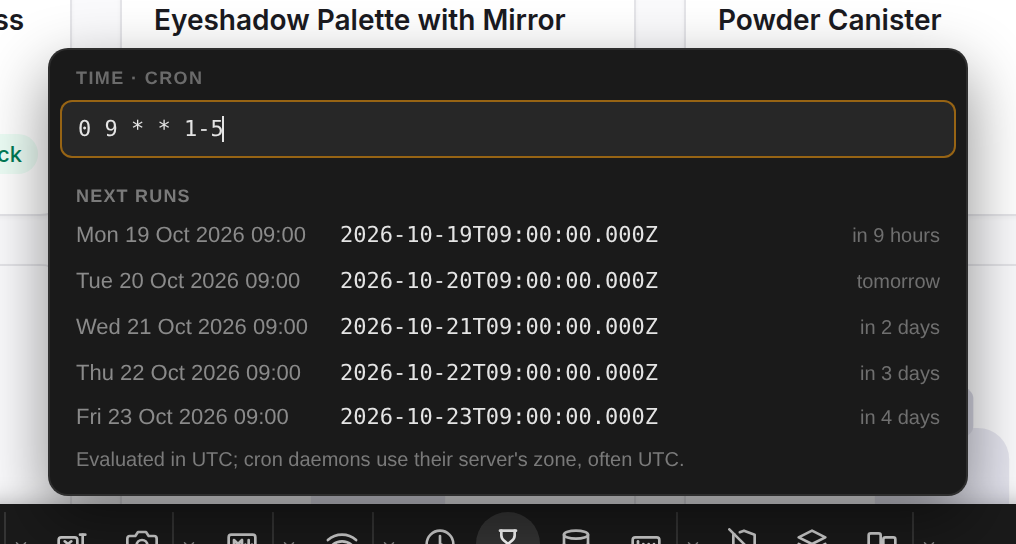
a cron expression (0 9 * * 1-5) | its next five runs |
| several lines | the same values, sorted |
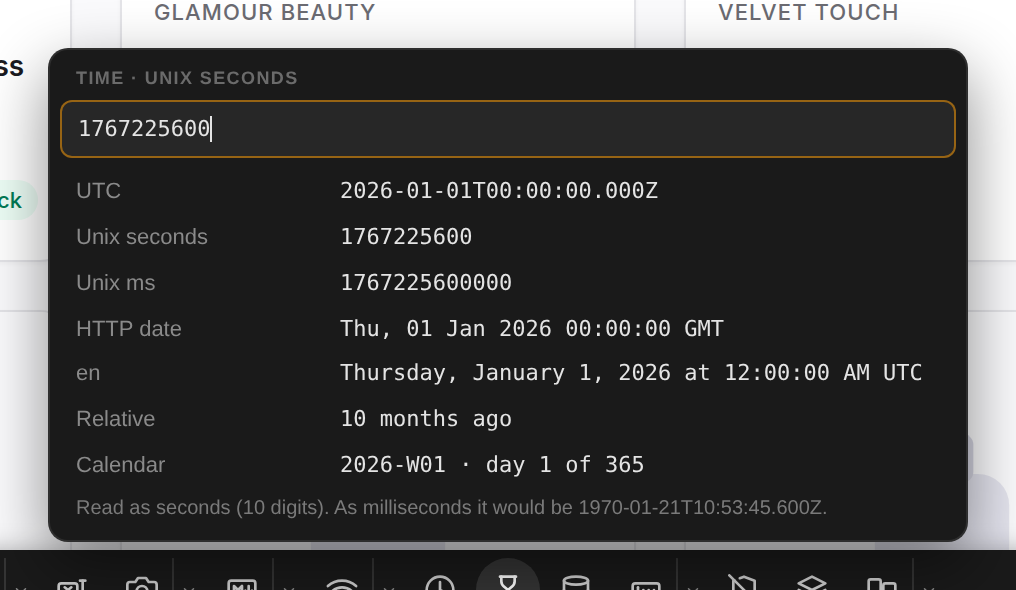
Example: what is this timestamp?
Paste 1767225600 from a log or a payload. Ten digits read as seconds, and the answer is midnight UTC on
January 1, 2026, with the millisecond reading it would have had underneath.
Example: when does this cron job run?
Paste 0 9 * * 1-5 and get the next five runs: every weekday at 09:00.
Good to know
- Times are shown in the page's time zone, so they follow the time zone override. A UTC switch shows them in UTC instead, unless the page already runs in UTC.
- Notes under the answer flag the traps: a timestamp that could be seconds or milliseconds, a date without a time zone, a daylight saving change inside a duration or a cron schedule.
- Cron expressions use the standard five fields.
- Nothing you type is saved.
Need something else? Request a feature