Responsive grids
note
This functionality is only available on Tweak Max. Compare the plans here.
Responsive grids show the page at several device sizes side by side, each one laid out at the device's real width. What you do in one of them (click, scroll, type) is replayed in all of them, so you check every layout in one pass.
Using it
- Open the toolbox and click the devices button. The grid opens over the page.
- Click the arrow next to it to pick the devices, up to six. Add device saves a size of your own.
- Use any preview as you would the page. Two buttons appear next to the devices button while the grid is open: the mouse and the keyboard. While they are lit, what you do in one preview happens in every preview.
- Click the devices button again, or press Esc, to close the grid.
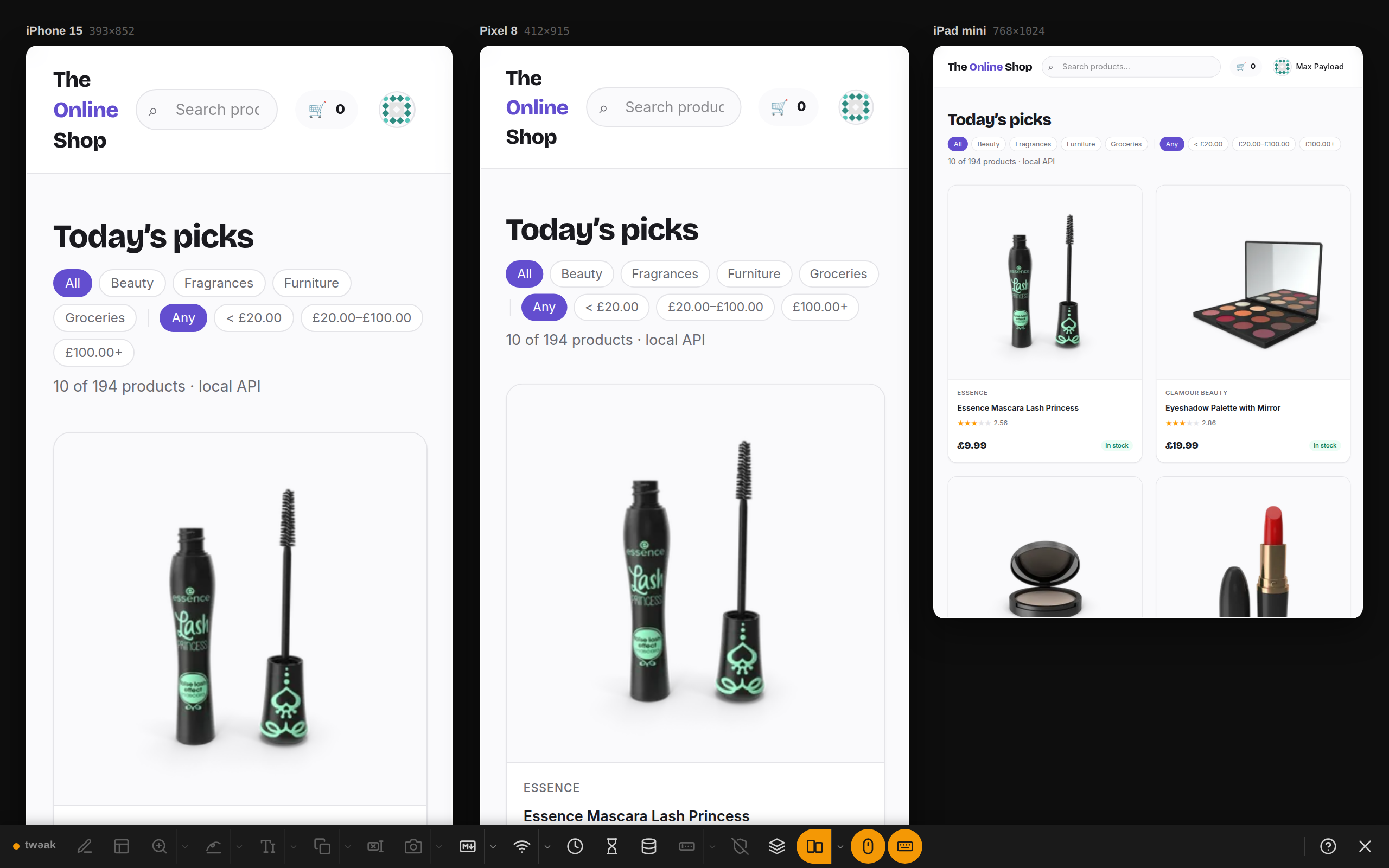
Example: the shop on a phone, another phone and a tablet
The grid opens on an iPhone 15, a Pixel 8 and an iPad mini. On both phones the shop's name wraps onto three lines and the filter chips onto two or three rows; the tablet still fits two product cards per row.
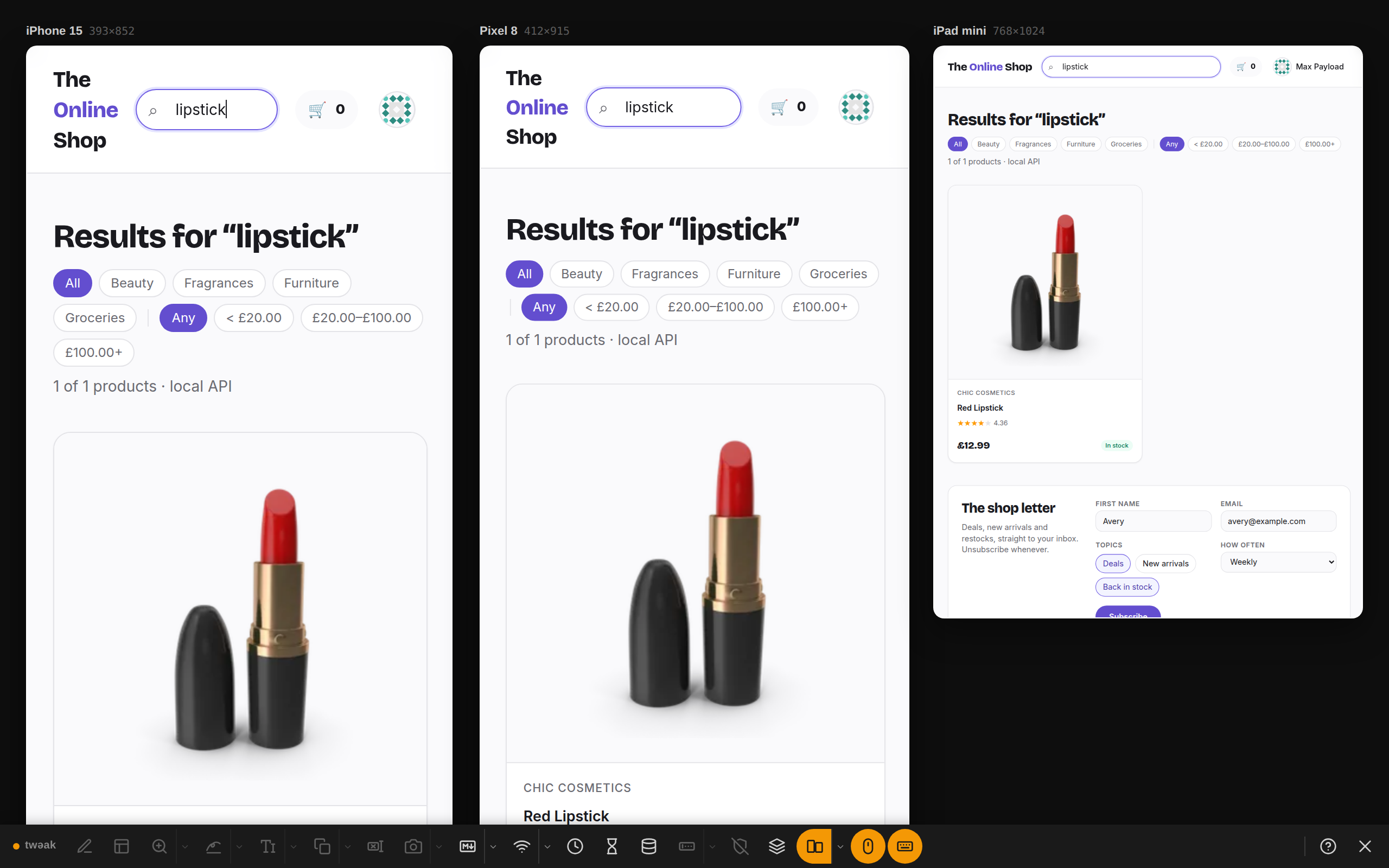
Example: one search, every device
With the keyboard lit, type lipstick in the first preview's search box. Every preview searches and shows its
results, so you compare the results page on all three at once.
Good to know
- Each preview is the real page at the device's width, so the layout is the one the device gets. A preview wider than its column is scaled down to fit.
- Your devices and your own sizes are remembered for every tab. Mouse and keyboard broadcasting are on each time the grid opens.
- Tools that work on the page itself (design mode, outlines, the marker, the eraser and the others) are off while the grid is open. The network and the time zone override apply inside the previews.
- A site that refuses to be shown in a frame shows a note in its preview instead.
Need something else? Request a feature