JSON viewer 🆕
Navigate to an endpoint that answers with JSON and the browser hands you a wall of unformatted text. With the JSON viewer on, tweak replaces that page with its own editor instead: pretty-printed, foldable, searchable, copyable, and one click away from becoming a Mock rule.
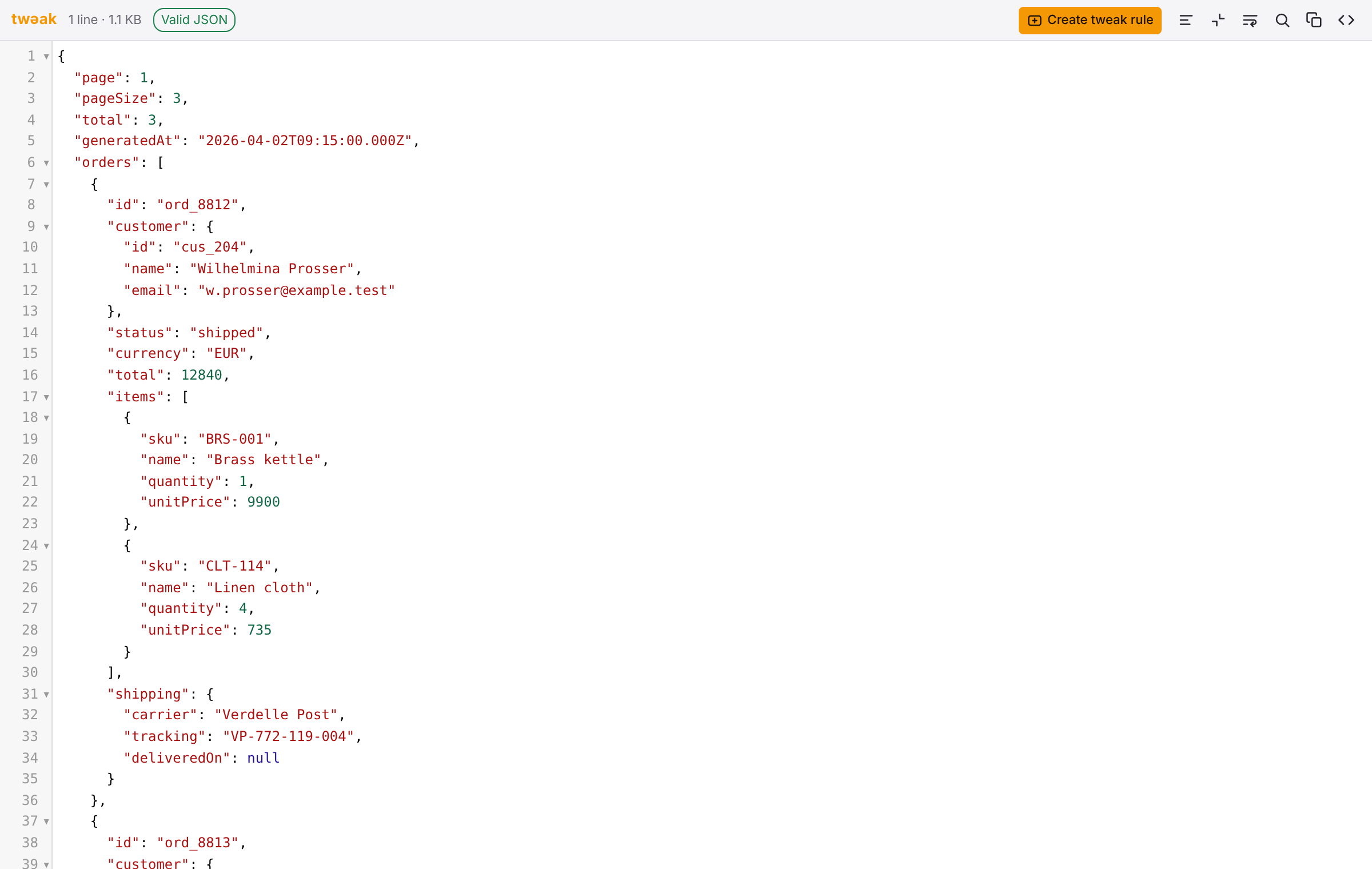
The chip next to the logo reports the payload as it arrived (1 line · 1.1 KB above), so you can
see at a glance that the formatting is tweak's and not the server's.
Turn it on
The JSON viewer is off by default: taking over a page you did not ask about is intrusive, so it is your call. Open the ⋮ menu in the popup toolbar, pick Settings, and switch on JSON viewer in Preferences, the section the settings open on.
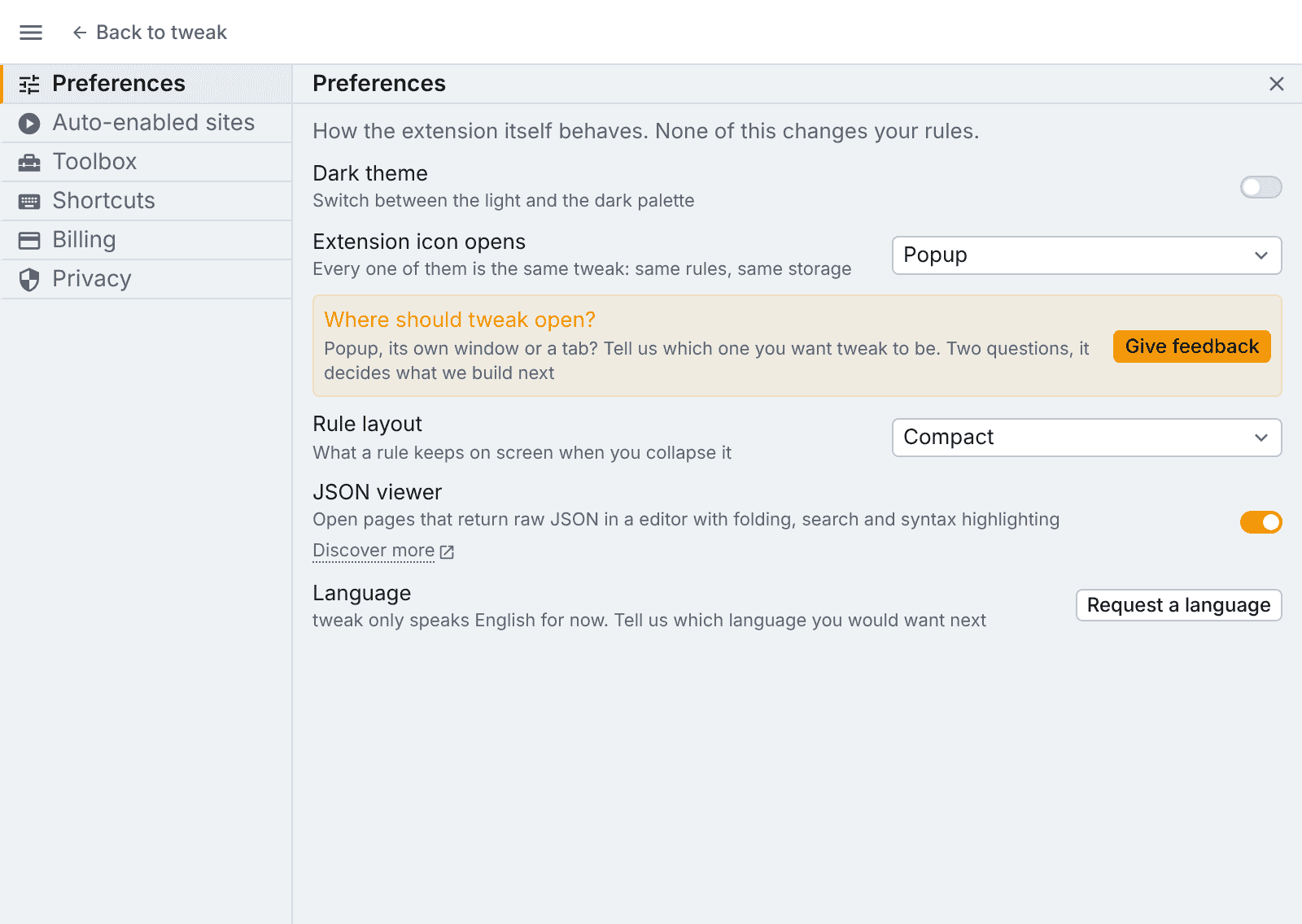
Nothing else changes: tweak still does not run its interception on data files, and the setting is read only once a page has already turned out to be JSON.
Which pages it takes over
- Anything served as
application/json,text/json, or with a+jsonsuffix such asapplication/ld+jsonorapplication/problem+json. text/plainresponses that actually parse as a JSON object or array. A plain-text page that happens to start with a number is left alone.
A payload that does not parse still opens in the viewer, with the syntax error marked in the gutter: that is usually the thing you were trying to see.
Documents over 5MB are deliberately skipped: at that size the raw page is faster than any editor.
tweak only recognises a page the browser rendered as plain, unstyled text: the bare wall of JSON. If your browser draws a JSON view of its own instead, with its own collapsing and filtering UI, tweak does not recognise that page and leaves it as it is. Some browsers do this out of the box, and some let you switch it off; when it is off you get the raw text, and tweak takes it from there.
Reading a payload
The payload is pretty-printed as soon as it opens, since most APIs answer minified.
The toolbar carries:
- Pretty-print: re-format the payload after you have edited it.
- Collapse every block: fold the whole document down to its top level, then expand what you care about. Individual blocks fold from the arrows in the gutter.
- Wrap long lines: for payloads with long string values.
- Find (
Ctrl/Cmd+F): with match count,Enter/Shift+Enterto step through matches, a case-sensitivity toggle, andEscto close. - Copy: the whole payload to the clipboard.
- Raw: put the browser's original page back. A pill stays in the corner to bring the viewer back, so you are never stuck on either side.
Create a rule from what you are reading
Create tweak rule turns the payload on screen into a Mock rule for that url.
- The rule is created disabled, so nothing starts being mocked because you read a page.
- What is in the editor is what gets mocked. Correct a field before pressing the button and the correction is what lands in the rule.
- The rule is named after the last segment of the url (
orders.json), with the full url in its url expression.
If you are on the free plan and already at the rule limit, the button says so and offers the upgrade link, rather than silently doing nothing.
Need something else? Request a feature