Headers only rules
A Headers only rule rewrites HTTP headers and does nothing else. It never touches the response body, the status code or the timing. If a request matches, its headers are edited and the request carries on exactly as it would have.
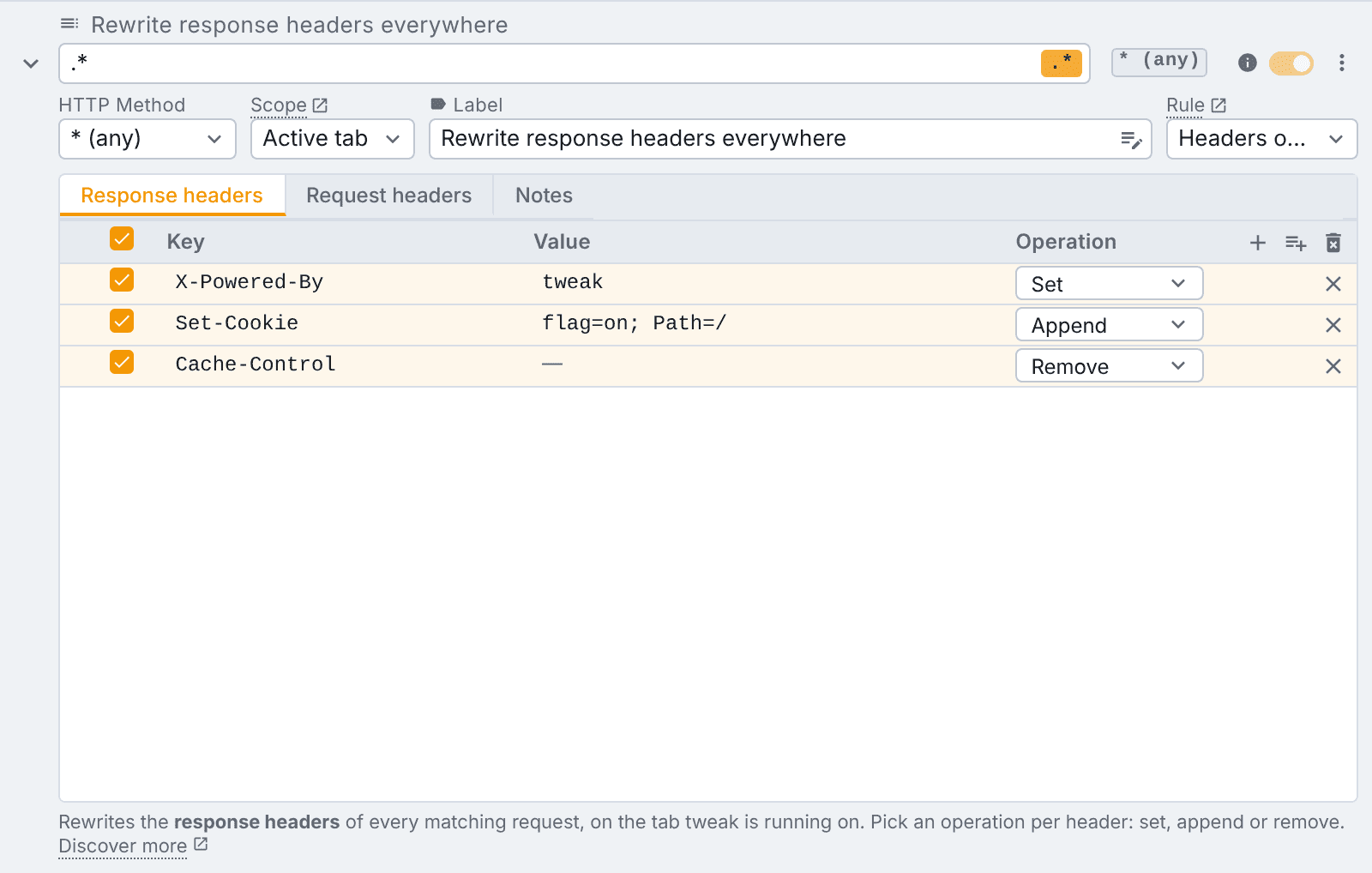
Unblocking CORS, disabling the cache or auditing a Content-Security-Policy are each one click away as a ready-made headers only rule. See templates.
Why it is a separate rule type
Mock and Modify rules can already set headers, so a rule type dedicated to them only earns its place because it works differently. It is applied by the browser itself instead of by tweak inside the page, and that buys three things:
- It reaches every request, not just the ones your JavaScript makes with
fetchorXMLHttpRequest. Page navigations,<script>,<img>, stylesheets, fonts and beacons are all in scope. - It can set headers the page is forbidden from setting.
Referer,Origin,User-Agentand the other forbidden header names are afetch/XHR restriction. The browser is not the page, so the restriction does not apply here. Try to set one on a Mock or Modify rule and tweak will tell you as much, and point you back at this rule type. - It can stay on when tweak is stopped, see scope below.
What you give up is everything that needs the page: no response payload, no hooks, no logpoints, breakpoints or Pause & Edit, no delay, no status code, and no count of intercepted requests. The rule row hides those fields rather than showing them disabled.
The two tables
A headers only rule has exactly two tabs, one per direction:
- Response headers: applied to what comes back, before the page sees it.
- Request headers: applied to what goes out, before it leaves the browser.
Both use the same table as Mock and Modify rules, plus one extra column. They also carry the same variables and generators in a cell, resolved when the rule is installed rather than per request.
The Operation column
Each row picks what to do with the header:
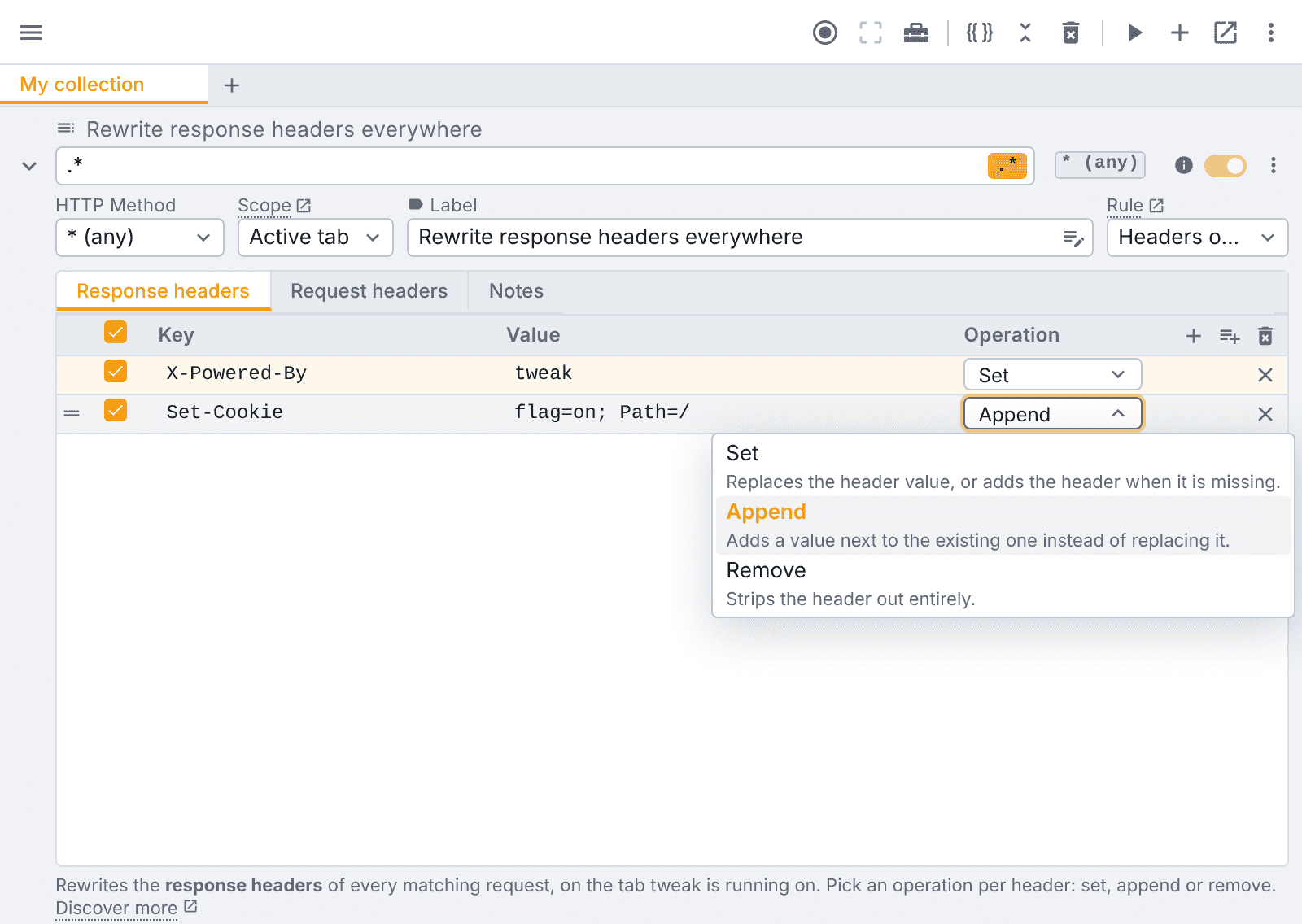
| Operation | What it does |
|---|---|
| Set | Replaces the header value, or adds the header when it is missing. |
| Append | Adds a value next to the existing one instead of replacing it. |
| Remove | Strips the header out entirely. |
Browsers only accept Append on a fixed list of request headers. Pick it on any other request
header and the Key cell turns red with an explanation. The row is kept, but it will be applied as
Set. Response headers have no such restriction: appending a second Set-Cookie is one of the main
reasons to use this rule type.
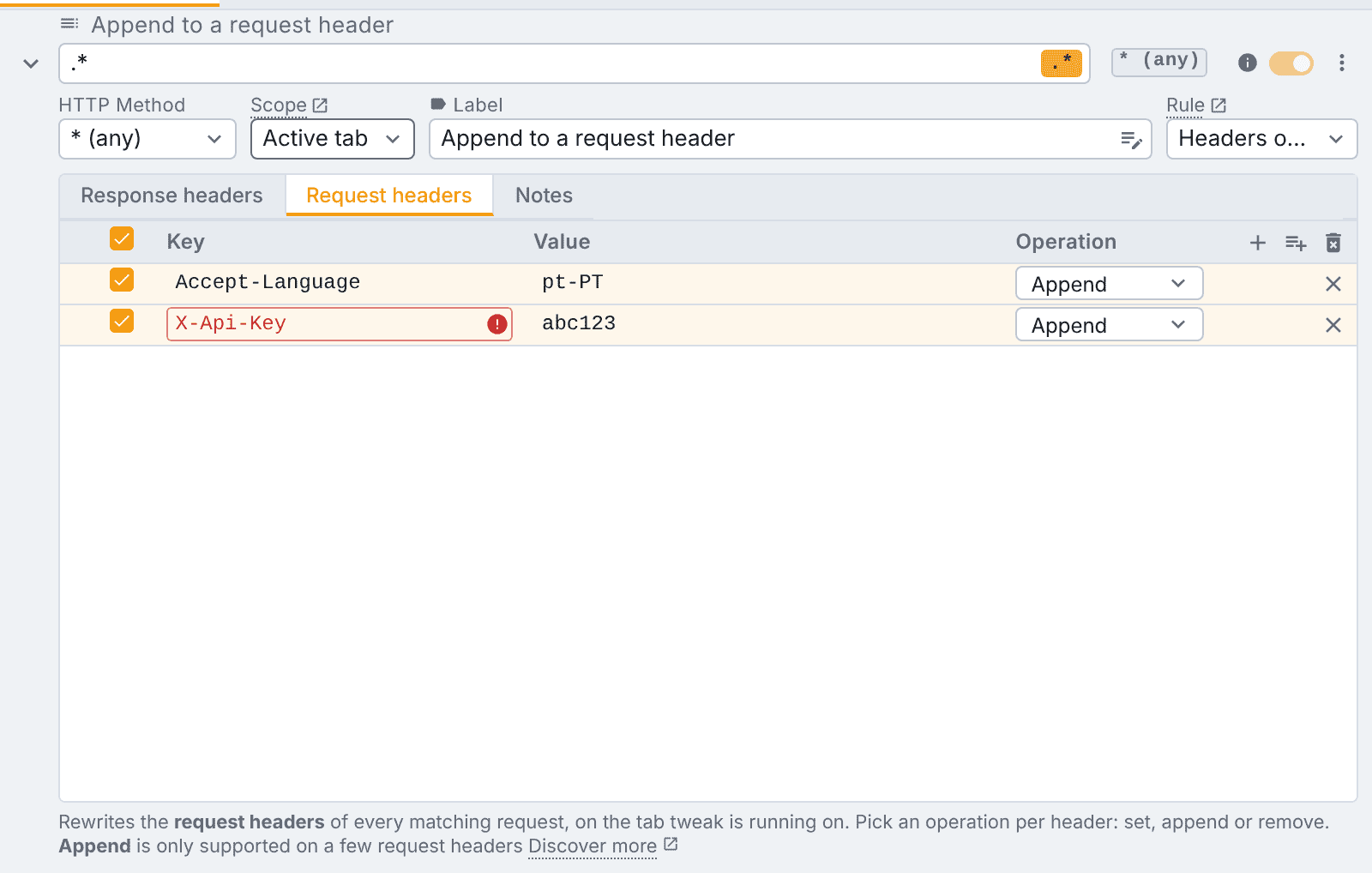
The request headers that do support Append are Accept, Accept-Encoding, Accept-Language,
Access-Control-Request-Headers, Cache-Control, Connection, Content-Language, Cookie,
Forwarded, If-Match, If-None-Match, Keep-Alive, Range, TE, Trailer, Transfer-Encoding,
Upgrade, User-Agent, Via, Want-Digest and X-Forwarded-For. The extension does not spell them
out, so this page is the full list.
While a row is set to Append, the Key autocomplete narrows to that list, so you cannot accidentally type a header the browser will refuse.
Importing headers in bulk
Typing headers one row at a time is fine for two of them, less so for the twelve your browser devtools
just showed you. The import button in the table's top right, between + and the delete icon, opens a
dialog that reads a pasted blob:
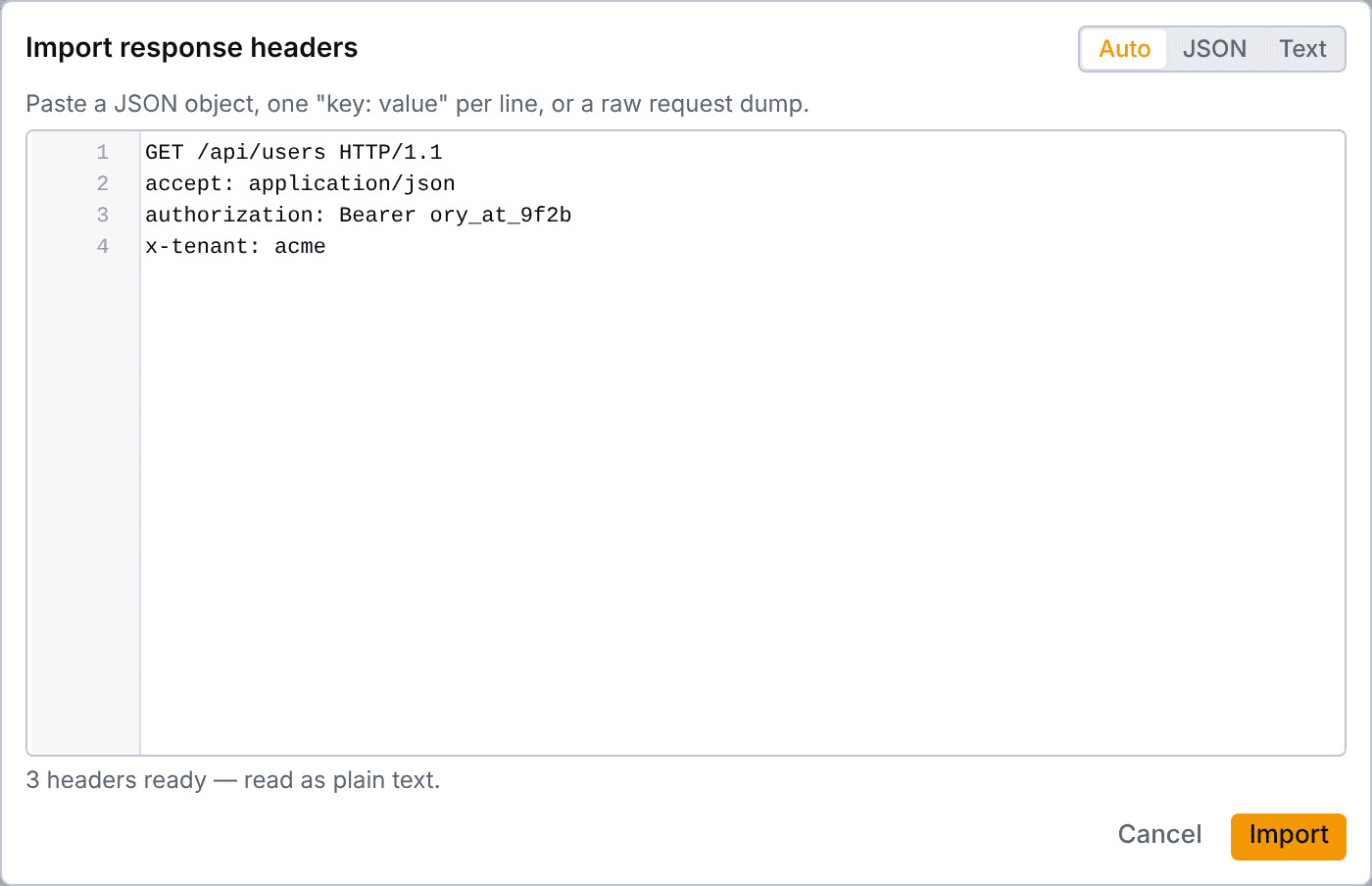
It accepts either format, and Auto picks between them by looking at your paste:
- JSON, an object of header names and values. Numbers and booleans are stringified,
nullbecomes an empty value, and an array is joined with,, the way a repeated header is written on the wire. A nested object is refused, naming the header it choked on. - Text, one
key: value(orkey = value) per line, cut at the first separator so a value can contain another one. Blank lines and#or//comments are ignored.
Copying straight out of devtools works: the request line, the status line and the :authority style
pseudo-headers are dropped for you. Any other line it cannot read is skipped rather than fatal, marked
in the gutter and counted next to the summary, so the rows that did parse still make it in. A JSON paste
is all or nothing.
Header names are checked as you paste, and {{variable}} references will just work.
Importing merges, it does not append. A header the table already has gets its value rewritten in place, keeping its checkbox and its operation, and everything else is added at the end. So pasting the same blob twice changes nothing the second time.
An imported row lands as Set, the operation a new row starts with. Switch it to Append or Remove after the import if that is what you meant, and note that re-importing the same blob will not undo that choice.
Scope: where the rule applies
Headers only rules replace the Status code and Delay fields with a Scope dropdown.
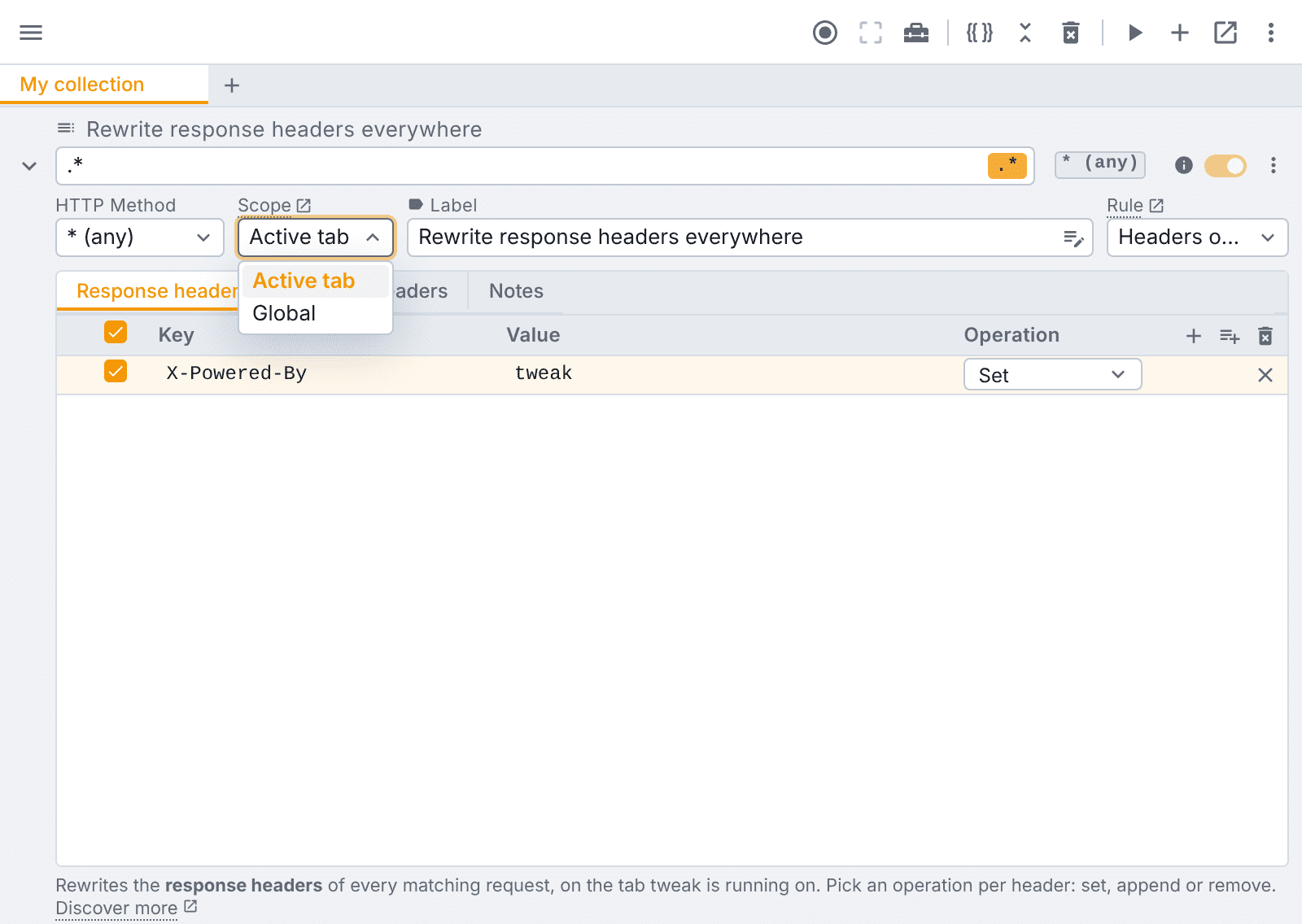
| Scope | Behaviour |
|---|---|
| Active tab | The default. Applied only while tweak is running, and only on the tab it is running on, like any other rule. |
| Global | Applied on every tab, whether or not tweak is running, and it survives a browser restart. |
Global is the advanced option. It is useful when you want an override to simply be on (a proxy header on every tab, all day), but it is also the easier one to forget, because it keeps working while tweak is not running.
Pausing with a global rule on
While at least one enabled Global rule exists, the run/stop button reads stop, because the browser is still applying your overrides on every tab. Clicking it pauses tweak and switches those global rules off, and the next click on run switches the same rules back on. The keyboard shortcut does the same. Active tab rules simply follow run/stop, as always.
Matching
The url expression and the regular expression toggle work the same way as on any other rule, with one difference worth knowing: the browser's matcher is RE2, which does not support backreferences or lookahead. If you write an expression the browser cannot compile, the rule row tells you instead of silently doing nothing.
The HTTP method dropdown accepts * to match any method, which is what a new headers only rule starts
with.
What the free plan gets
All of it. Headers only rules are free on every plan: response and request headers, every operation (Set, Append, Remove), both scopes, and variables and generators in their cells.
Defaults
Switching a rule to Headers only seeds it so that it already does something: the url expression
becomes .* with the regex toggle on, the method becomes *, the scope is Active tab, and one
X-Powered-By: tweak row is added to the response headers table. An empty url expression would install
no rule at all, so a freshly switched rule would otherwise look enabled while doing nothing.
Any field you have already edited is left alone.
Need something else? Request a feature