Response hook
This functionality is only available on Tweak Max. Compare the plans here.
A response hook allows you to tap into a request and transform its response with custom JavaScript.
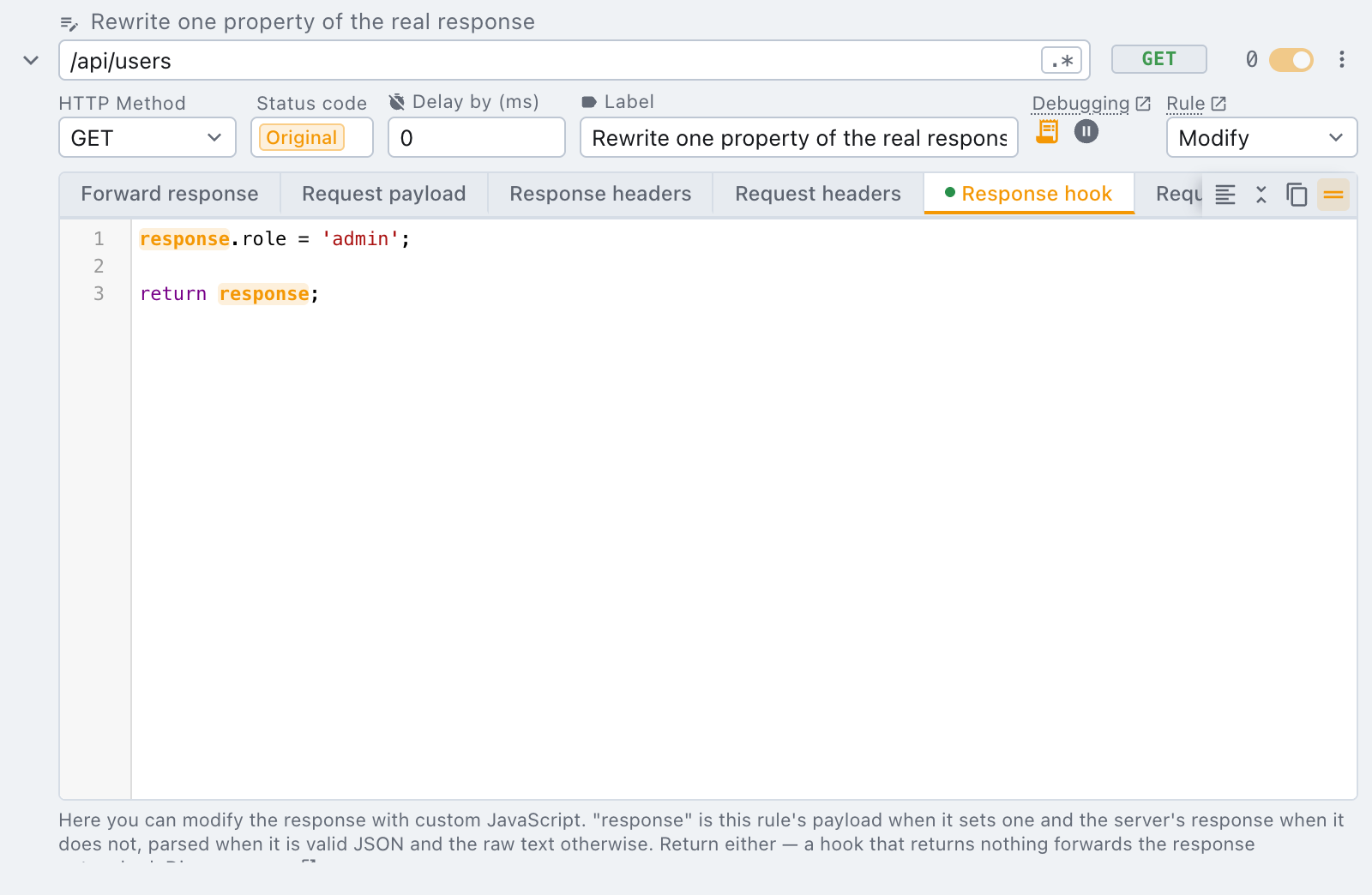
By writing custom JavaScript, you have the flexibility to:
- Write custom logic to define the data to return, based on the request's information (e.g. request body, url or method).
- Write random data generators to produce fake data. This is useful when trying to generate a large amount of data.
- Debug a request: use
console.logas you would do in your code. This is an alternative to debugging tools.
Here is a diagram explaining the lifecycle of a request intercepted by a modify rule using a response hook. It's very important to understand how and when tweak runs your code. This understanding is essential to implement effective scripts.
In step 6, the HTTP response data is passed to your script, so it can be manipulated.
Mock rule
With a mock rule, requests are blocked and the response never arrives to the browser. Nonetheless, you can still apply a response hook.
Although with a mock rule steps 3 and 4 are skipped, tweak forwards the specified response payload to your script, instead of the server response data.
Context
You can access the following default variables within the response hook.
| Property | Description |
|---|---|
response (object|string) | The intercepted response payload |
url (string) | Full request URL |
method (string) | HTTP request method |
body (string) | HTTP request body (request payload) |
vars (object) | Key-value structure that holds user defined tweak variables, if applicable (e.g. var.customId accesses a variable with name customId) |
chance (object) | Holds a chance.js instance that allows you to generate random data (e.g. chance.word() generates a random word) |
_ (object) | Holds a lodash instance with the utilities: isEqual, merge and pick |
response's type depends on the payload it holds, not on the rule type: tweak attempts to
JSON.parse it first, so a JSON payload arrives as a plain object you can read/mutate directly
(response.location.city); anything that fails to parse (plain text, HTML, an empty body) arrives
as the raw string instead. Always check typeof response before assuming one shape.
What you return decides the new payload the same way: return an object and tweak
JSON.stringifys it for you, return a string and tweak uses it verbatim — this is how you can
turn a JSON response into plain text (or the other way around) from the same hook.
Utilities
The following lodash functions are available in the global _ namespace.
You can use _.merge to mutate a single data property in the response payload. As a simple example, consider the following response:
{
  "location": {
    "country": "UK",
    "city": "London"
  }
}
Now let's only change the city name from "London" to "Liverpool" by writing this small snippet in the response hook.
return _.merge(response, {
  location: {
    city: 'Liverpool',
  },
});
Additional features
You can reference variables and use data generators in this editor. Both features work through context injected in the response hook environment that you can leverage. Similarly to lodash functions, here's how you can use variables & data generators. Suppose you define the variable with name first_name, here's how you can invoke it:
return {
  ...response,
  firstName: vars.first_name, // access your variables through the plain object "vars"
  age: chance.age(), // use any function from the chance.js API to generate random data
};
Errors and troubleshooting
When a response hook fails, tweak reports it on that rule's own editor, in a red footer docked under your code. There is no toast to catch before it disappears, and no guessing which of your rules broke.
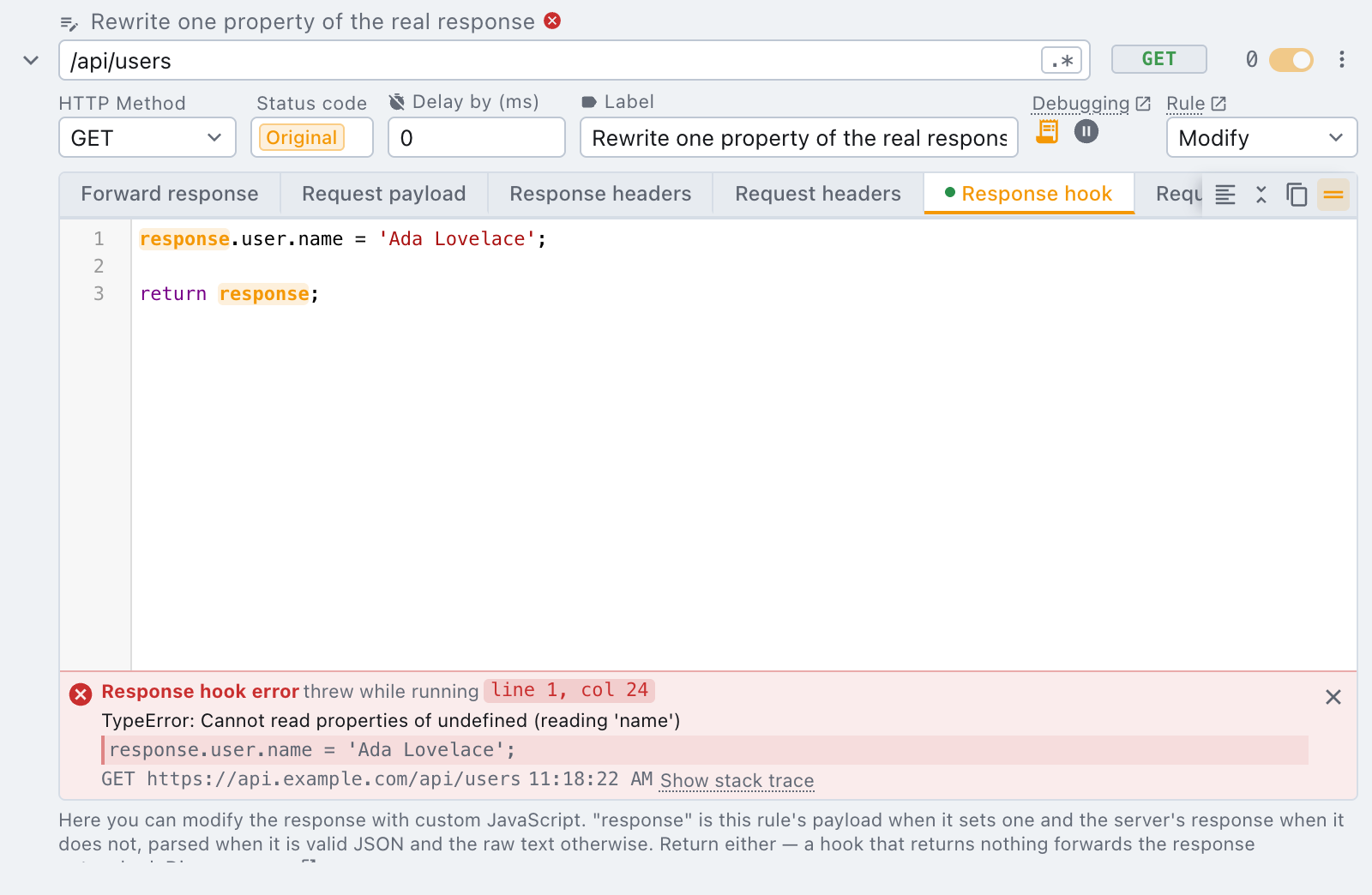
The footer carries everything tweak could work out about the failure:
- What kind of failure it was — the hook threw while running, it could not be compiled, or it returned something tweak cannot use.
- Where in your code, as a
line, colchip, with that line of your own hook printed underneath it. The position is mapped back onto what you wrote, so line 1 means line 1 of your hook. - Which request triggered it, method and url, and the time it happened.
- Show stack trace expands the first frames of the original error.
The rule name grows a small red mark too, so a folded rule still tells you it has something to report. Clicking that mark unfolds the rule straight onto the hook that failed.
The footer stays until you dismiss it with the ✕. It is replaced, not stacked, when the same rule
fails again, so a hook breaking on every request cannot bury the popup.
Common causes
| What you see | Usually means |
|---|---|
TypeError: Cannot read properties of undefined | You read a field that is not on this particular response. Check typeof response first, and remember a non-JSON body arrives as a string. |
| The hook runs but nothing changes | Nothing was returned. A hook that returns nothing forwards the response untouched, on purpose. |
undefined where you expected data | The body was not JSON, so response is the raw string and response.field is undefined. |
console.log works inside a hook and prints to the page's own console, which is often the quickest
way to see what response actually holds before you write against it.
A hook is a small, self-contained script against a documented contract, which is exactly the kind of thing AI coding tools are good at. Point yours at this page and describe what you want:
Read https://tweak-extension.com/docs/rule/javascript-snippet and write me a tweak response hook that <what you want it to do>.
The page tells the tool everything it needs: the variables tweak injects, what response holds and
when it is an object rather than a string, what returning a value does, and the utilities available.
Paste the result into the editor and run the request once to confirm it does what you meant.
Need something else? Request a feature