Request payload
The request payload has different UIs depending on the rule type.
Mock rules
The request payload acts as a filter to intercept the intended requests. This data is not sent out to the server.
For example, you can combine URL and request payload to target a specific POST request and configure more granular rules. This is useful when all APIs are behind the same endpoint and the request payload is the only variant (e.g. GraphQL).
A new rule starts on Any: it does not check the body, so it catches every request on its URL and method. Pick Equals or Contains in the bar above the editor to filter by the body. Read more in matching requests by their payload.
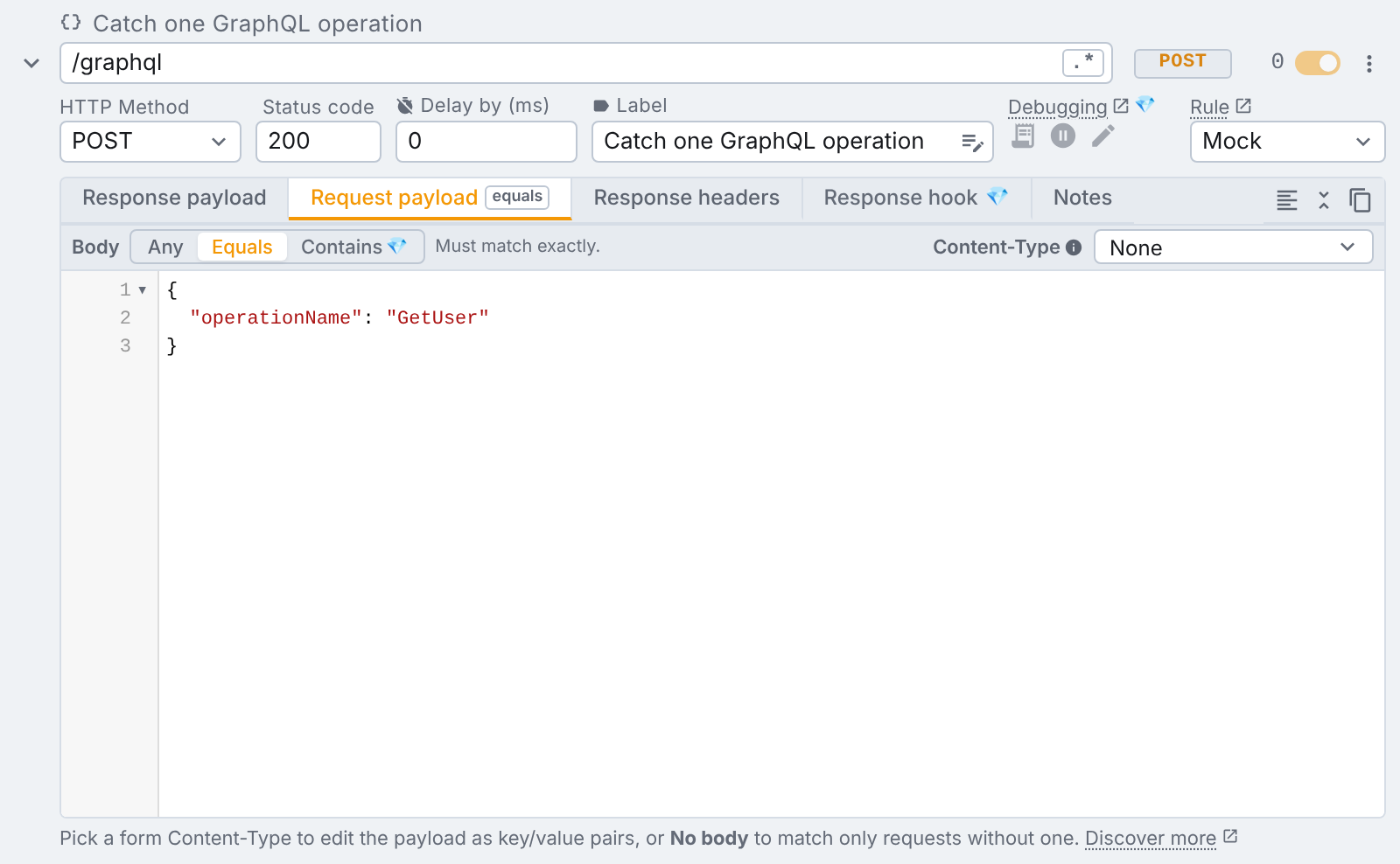
When you leave the request payload empty, all requests are intercepted, regardless of the request body. tweak treats such a rule as Any. This is valid for mock and modify rules.
Modify rules
Modify rules are available on Tweak Basic and Tweak Max. Compare the plans here.
With modify rules you can also specify a request payload to replace the original. tweak will replace this data on the fly, before the request leaves the browser.
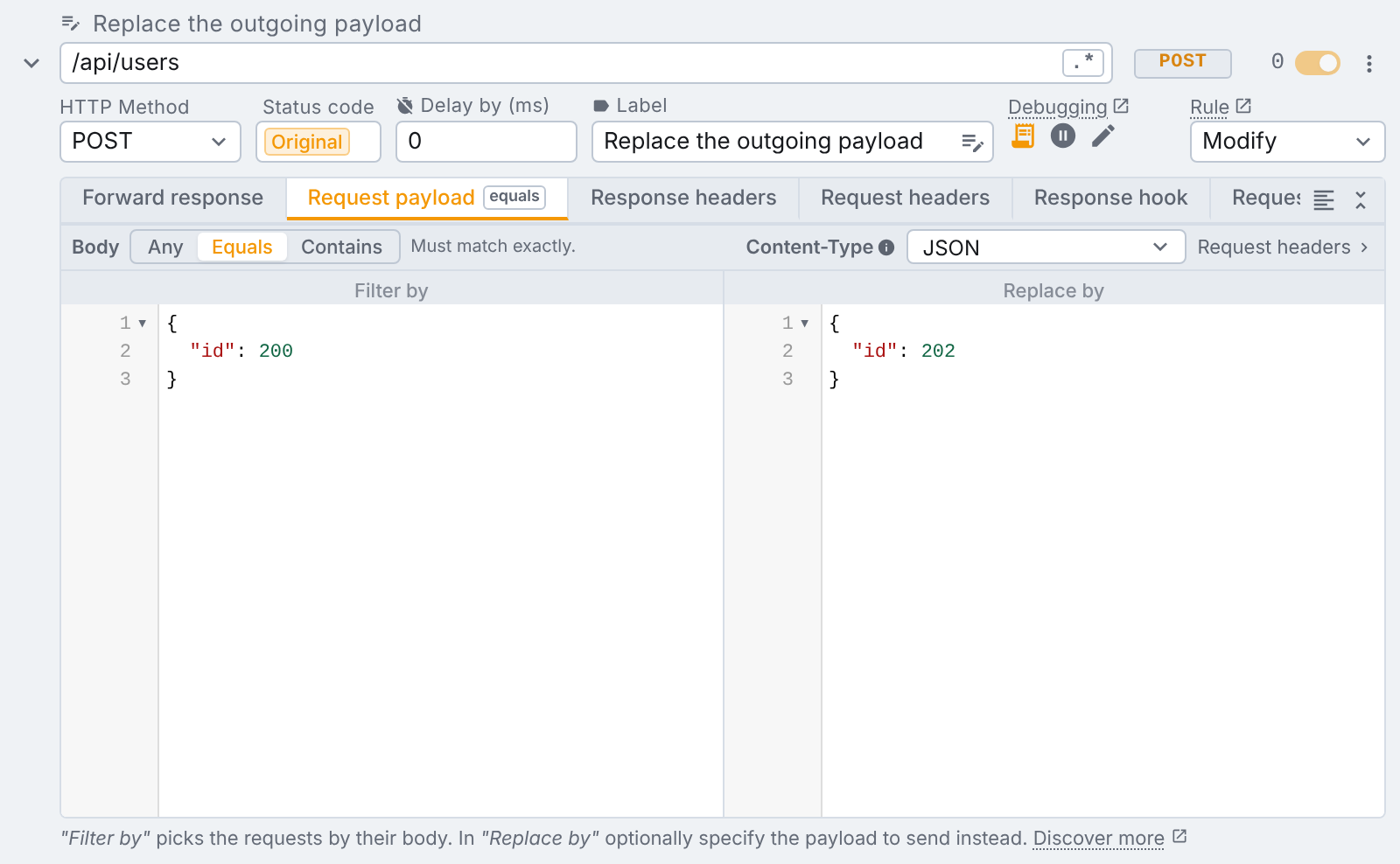
In the above image, the request payload { "id": 200 } is going to be replaced by { "id": 202 }. If you open the devtools you can see the modified request payload.
Do you need more granularity on replacing the request payload? Use a "Request hook" instead.
Body types
The picker on the strip above the request payload tab names the kind of body the request sends. Its options are grouped:
| Group | Body type | Content-Type | The tab shows |
|---|---|---|---|
| Form | Multipart Form | multipart/form-data | a key/value table |
| Form | Form URL Encoded | application/x-www-form-urlencoded | a key/value table |
| Raw | JSON | application/json | a code editor |
| Raw | XML | application/xml | a code editor (edited as plain text) |
| Raw | Text | text/plain | a code editor |
| Other | No Body | none, it is not a Content-Type | a short note, nothing to edit |
Every type except No Body is the request's Content-Type: picking one writes it, and changing the
Content-Type row in the request headers tab changes the picker too. A
request picked from request capture fills it in.
No Body
No Body matches only a request that sends no body at all. A request that sends a body, of any type, does not match the rule. There is no payload to write and no Equals or Contains to pick. Use it to tell apart two requests on the same URL and method where only one of them carries a body.
Switching into or out of No Body empties the payload, so nothing hidden is left behind for the rule to match on.
Multipart Form
A multipart/form-data request (what a page sends with FormData, a file upload form for example) is
edited as the same key/value table as a form request body, and matched field by
field in any order. Only text fields are matched: a file part in the request is skipped.
On a modify rule, a Replace by table under Multipart Form is sent as a real multipart body built from
your fields, and the browser writes the matching Content-Type boundary for it.
Form request bodies
A request whose Content-Type is application/x-www-form-urlencoded (a classic HTML form post, many
OAuth token endpoints) carries its body as name=Jon+Snow&house=Stark. Editing that as text is
error-prone, so tweak edits it as a key/value table instead: one row per field, already decoded.
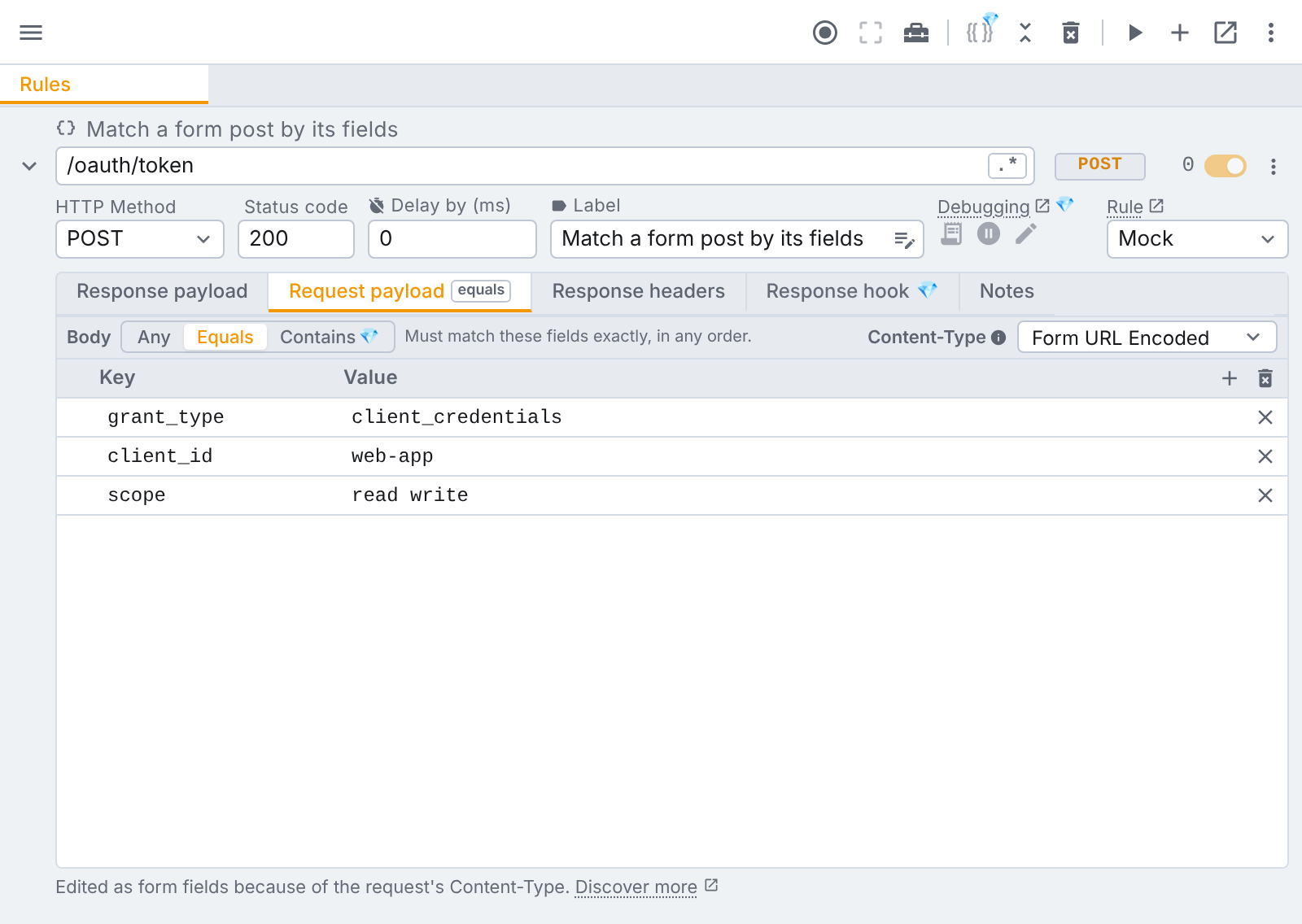
The switch is the request's Content-Type. The body type picker on the strip above the
request payload tab shows it: pick Form URL Encoded and the editor becomes the table. On a modify rule that strip is the very same Content-Type row you see in the
request headers tab, and it is sent with the request. On a mock rule it only
describes the request being answered.
When a form rule matches, the order of the fields does not matter: house=Stark&name=Jon+Snow
matches the table above. Partial matching works field by
field too. Leave the table empty, or pick Any, to match any payload. Variables work in the cells, and a request picked from
request capture that was a form post arrives already as a table.
Additional features
- You can reference variables and use data generators in this editor.
- How the body has to match is picked in the bar above the editor: Any (the default, the body is not checked), Equals or Contains. Read more here.
Need something else? Request a feature