Response and request headers
Request headers are available on Tweak Basic and Tweak Max. Compare the plans here.
You can modify both request and response headers. You can specify:
- The header name (Key column)
- The header value (Value column)
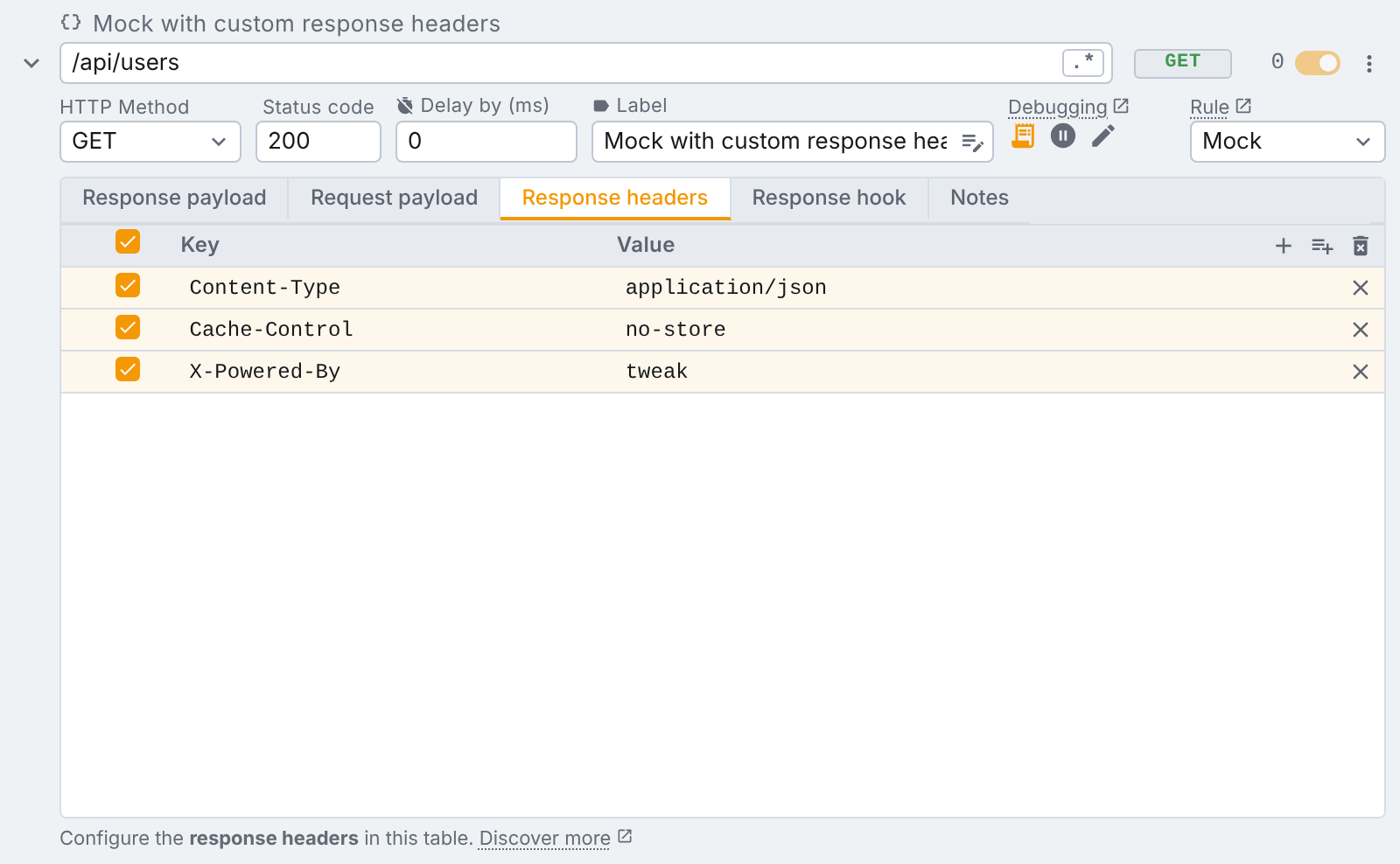
Rows can be reordered: drag the handle that appears at the left of a row when you hover it, walk a row with the arrow keys while the handle has focus, or click the Key heading to sort the table alphabetically. This works on both tables and on every rule type.
HTTP header names are case-insensitive (web standard) and some header names are forbidden.
Forbidden names are flagged in red here, because mock and modify rules go through fetch and XHR, which the browser does not let set them. A headers only rule is applied by the browser itself, so it can set them: switch the rule type and the row will apply.
Variables and generators in a cell
Templating in the header cells of a Mock or Modify rule is only available on Tweak Max. Compare the plans here. On other plans the token is sent as the literal text you typed. On a headers only rule it works on every plan.
Both columns of both tables take tweak's templating vocabulary, on every rule type, headers only rules included:
- Variables,
{{<name>}}, replaced by the value you gave them. - Random data generators,
$tweak.<generator>, replaced by a generated value. AnX-Request-Id: $tweak.guidis one line of table, not a hook. On mock and modify rules it is generated per request; on a headers only rule it is generated when the rule is installed, so it changes when you edit the rule.
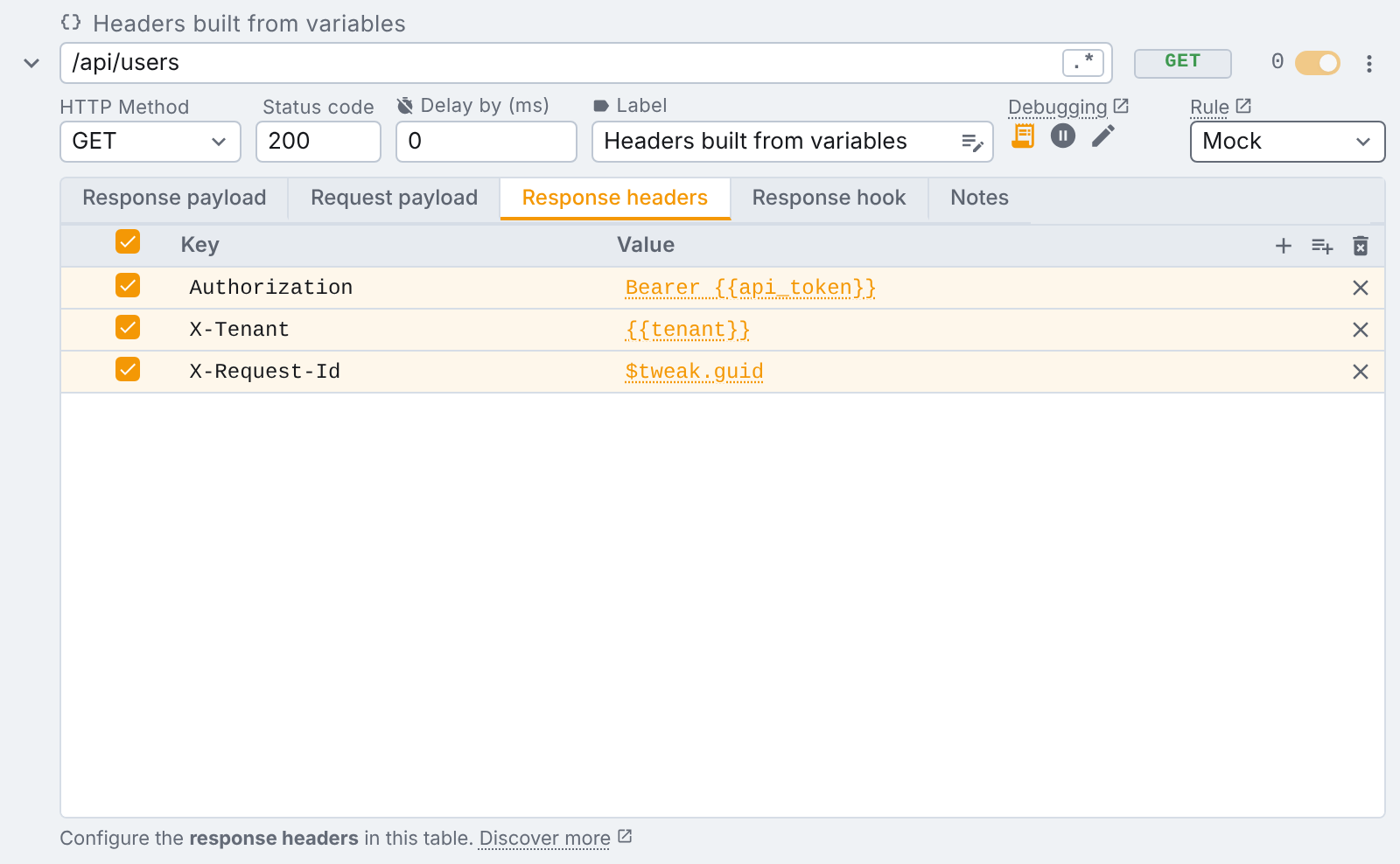
A token is highlighted where it appears, and hovering it reveals what it will resolve to. Typing
{{ in a cell opens the list of your variables, and typing $ opens the generators, so you do not
have to remember the exact name.
Importing headers in bulk
Typing headers one row at a time is fine for two of them, less so for the twelve your browser devtools
just showed you. The import button in the table's top right, between + and the delete icon, opens a
dialog that reads a pasted blob:
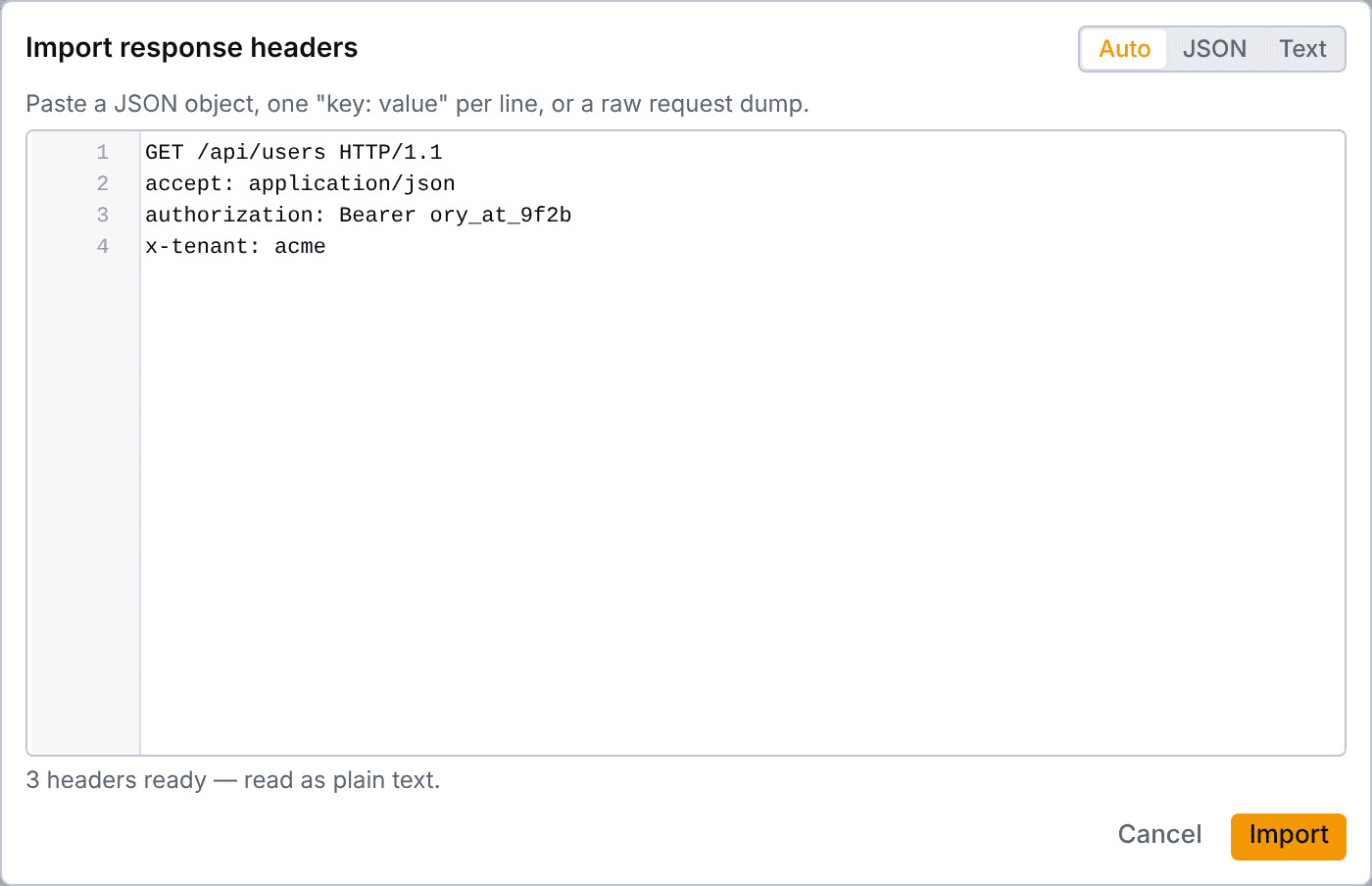
It accepts either format, and Auto picks between them by looking at your paste:
- JSON, an object of header names and values. Numbers and booleans are stringified,
nullbecomes an empty value, and an array is joined with,, the way a repeated header is written on the wire. A nested object is refused, naming the header it choked on. - Text, one
key: value(orkey = value) per line, cut at the first separator so a value can contain another one. Blank lines and#or//comments are ignored.
Copying straight out of devtools works: the request line, the status line and the :authority style
pseudo-headers are dropped for you. Any other line it cannot read is skipped rather than fatal, marked
in the gutter and counted next to the summary, so the rows that did parse still make it in. A JSON paste
is all or nothing.
Header names are checked as you paste, and {{variable}} references will just work.
Importing merges, it does not append. A header the table already has gets its value rewritten in place, keeping its checkbox and its operation, and everything else is added at the end. So pasting the same blob twice changes nothing the second time.
Additional tips
A few more tips:
- You can use "Request hook" to modify request headers programmatically with JavaScript.
- Setting
Content-Type: text/event-streamorTransfer-Encoding: chunkedmocks a streaming response. Combine this with the delay field to control the time between chunks.
Modifying only headers?
If the headers are the only thing you want to change, a headers only rule is the better fit: it leaves the payload untouched, it's more robust, adds append and remove operations, and reaches requests your JavaScript never makes (page navigations, scripts, images, stylesheets).
Need something else? Request a feature