Design mode
Design mode makes every piece of text on the page editable, so you can see how the layout copes with other content before anyone changes the code.
Using it
- Open the toolbox and click the pencil.
- Click into any text on the page and type, delete or paste, as in a text editor.
- Click the pencil again when you are done. The page stops being editable and keeps what you typed.
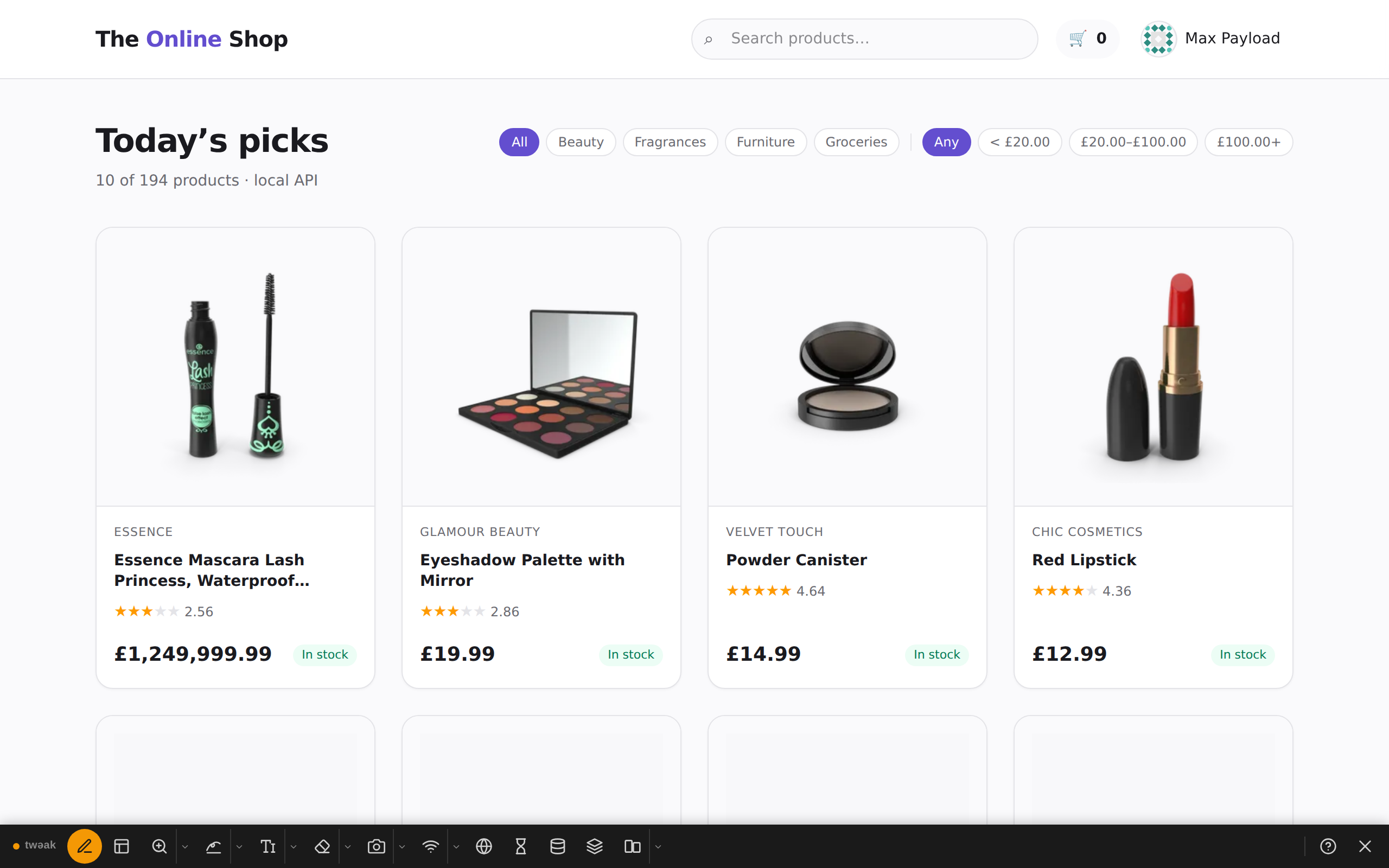
Example: a long product name and a big price
On a shop, add a few words to a product name and make its price absurdly large. The name is clamped to two lines with an ellipsis, and the price still fits beside the In stock chip: two things worth knowing before real catalogue data arrives.
Good to know
- Your edits live in the page only. Nothing is sent anywhere, and a reload brings the original text back.
- Design mode stays on after a reload of the tab until you click the pencil again or close the toolbox.
- The page's own scripts do not know about your edits: re-rendering a component (opening a menu, changing a filter) may put the original text back.
Need something else? Request a feature