Markdown
note
This functionality is available on Tweak Basic and Tweak Max. Compare the plans here.
Markdown saves the content of the page as a .md file in one click: headings, text, lists, links, images and code,
without the navigation, ads and sidebars around them. Handy for notes, a bug report or a prompt for an AI assistant.
Using it
- Turn it on in Settings > Toolbox: it is off by default.
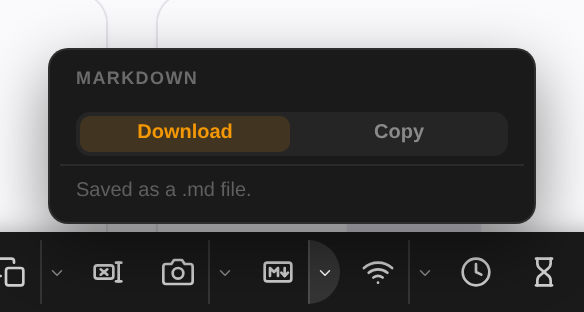
- Open the toolbox and click the M↓ button. The file downloads, named after the page's title.
- To copy the Markdown instead, click the arrow next to the button and pick Copy. The button then carries a
COPYtag, and saysCOPIEDonce the text is on your clipboard. Pick Download to go back.
Example: save the shop's front page
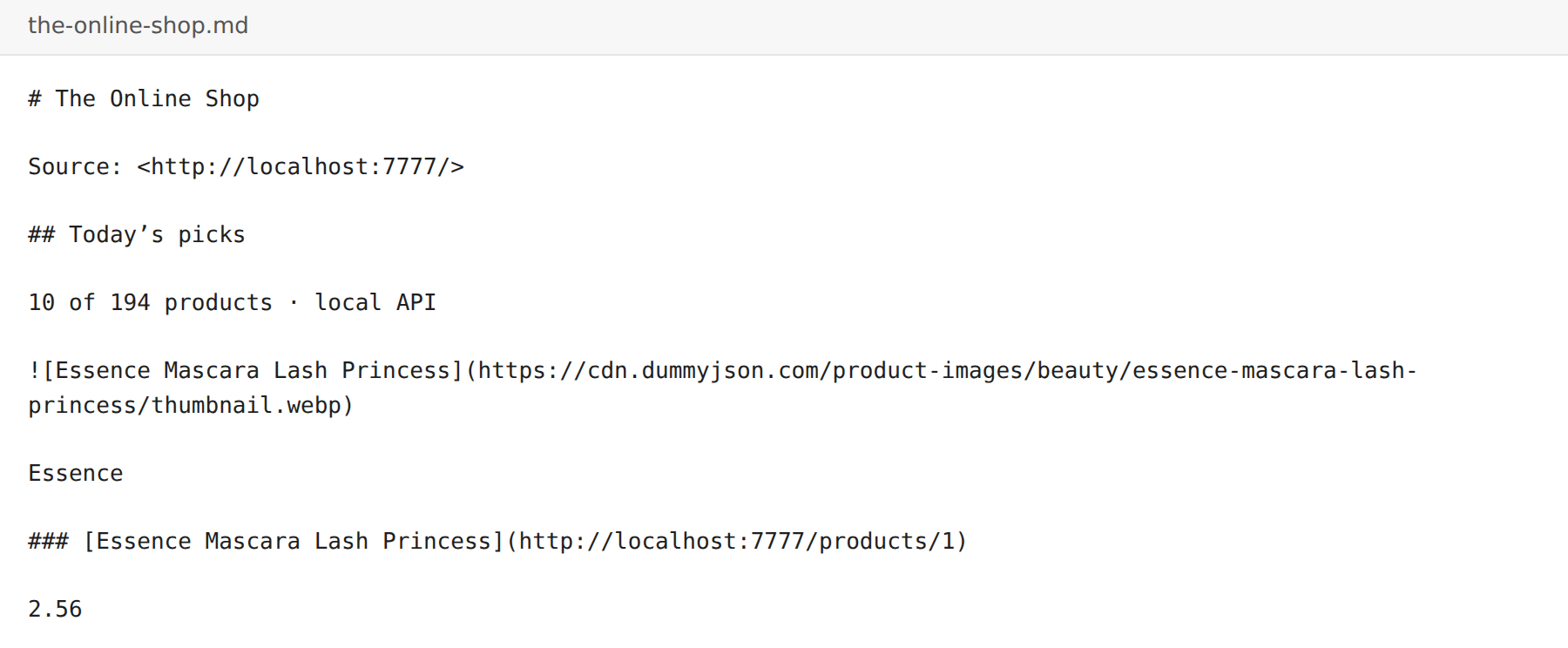
One click on the shop's home page saves the-online-shop.md. It opens with the page's title and address, then the
content: the heading, and each product with its image, name and link.
Good to know
- Your choice of Download or Copy is remembered for every tab.
- Only what is visible is saved. Headers, footers, menus, search boxes, open dialogs and ad slots are left out, and forms and buttons are dropped.
- Text you redacted is saved redacted.
- Content inside frames is not included.
- If something goes wrong, the button shows
ERRfor a few seconds. Try again.
Need something else? Request a feature