Layout outlines
Layout outlines draws a thin outline around every element on the page, so you can see the boxes behind the design: where padding ends, which wrapper is too wide, why two things do not line up.
Using it
- Open the toolbox and click the layout icon (the second button).
- Every element gets an outline. The colour says what kind of element it is, so a heading, a link and a plain wrapper are told apart at a glance.
- Click the button again to remove the outlines.
Example: the boxes of a product grid
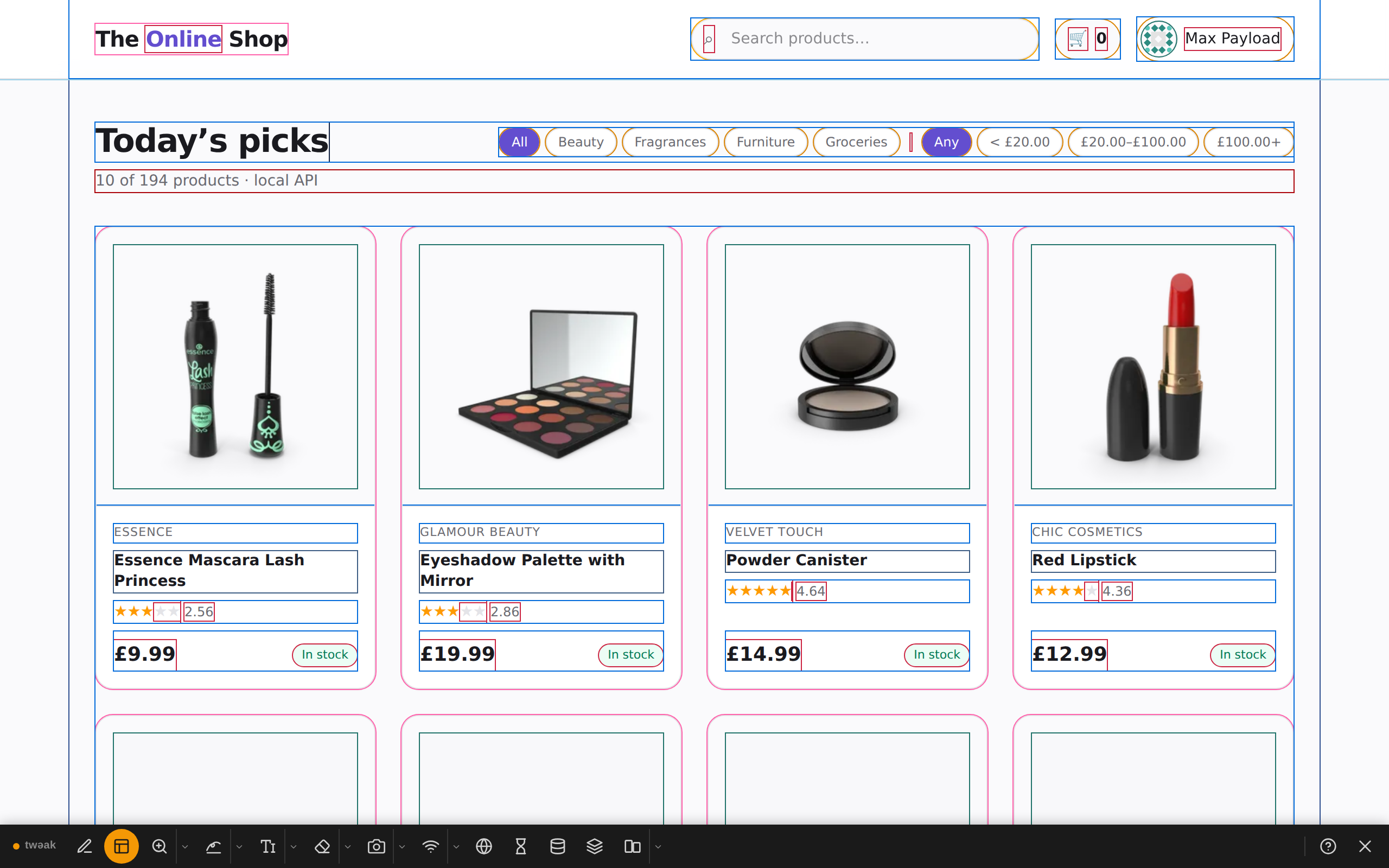
With outlines on, the shop's grid shows its structure: the card, the photo's frame inside the card's padding, and one box per line of text.
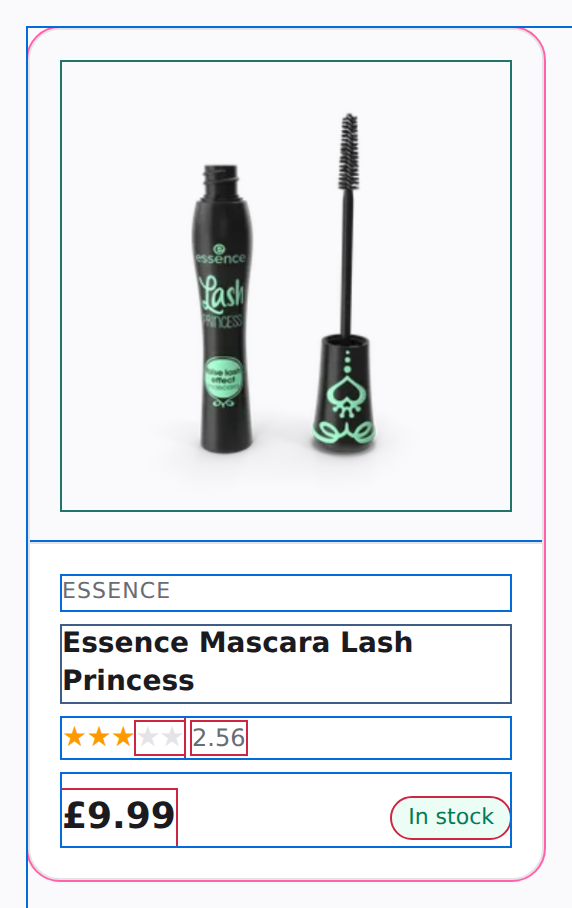
Up close, a single card shows that the rating and its number are two boxes, and that the In stock chip sits in the same row as the price:
Good to know
- Outlines take no space, so the layout you see is the real one.
- They stay on after a reload of the tab until you switch them off or close the toolbox.
Need something else? Request a feature