Redact
note
This functionality is available on Tweak Basic and Tweak Max. Compare the plans here.
Redact blacks out text and images on the page itself, so a screenshot, a recording or a shared screen shows the layout without the names, emails or numbers in it.
Using it
- Turn it on in Settings > Toolbox: it is off by default.
- Open the toolbox and click the redact button.
- Drag across text, the way you would select it. A grey preview shows what will be blacked out; release to apply.
- Or click an element: an image, an input or anything without text turns into a black box.
- Click a black bar to bring back what it covers.
- Click the button again, or press Esc, to put the tool away. The redactions stay.
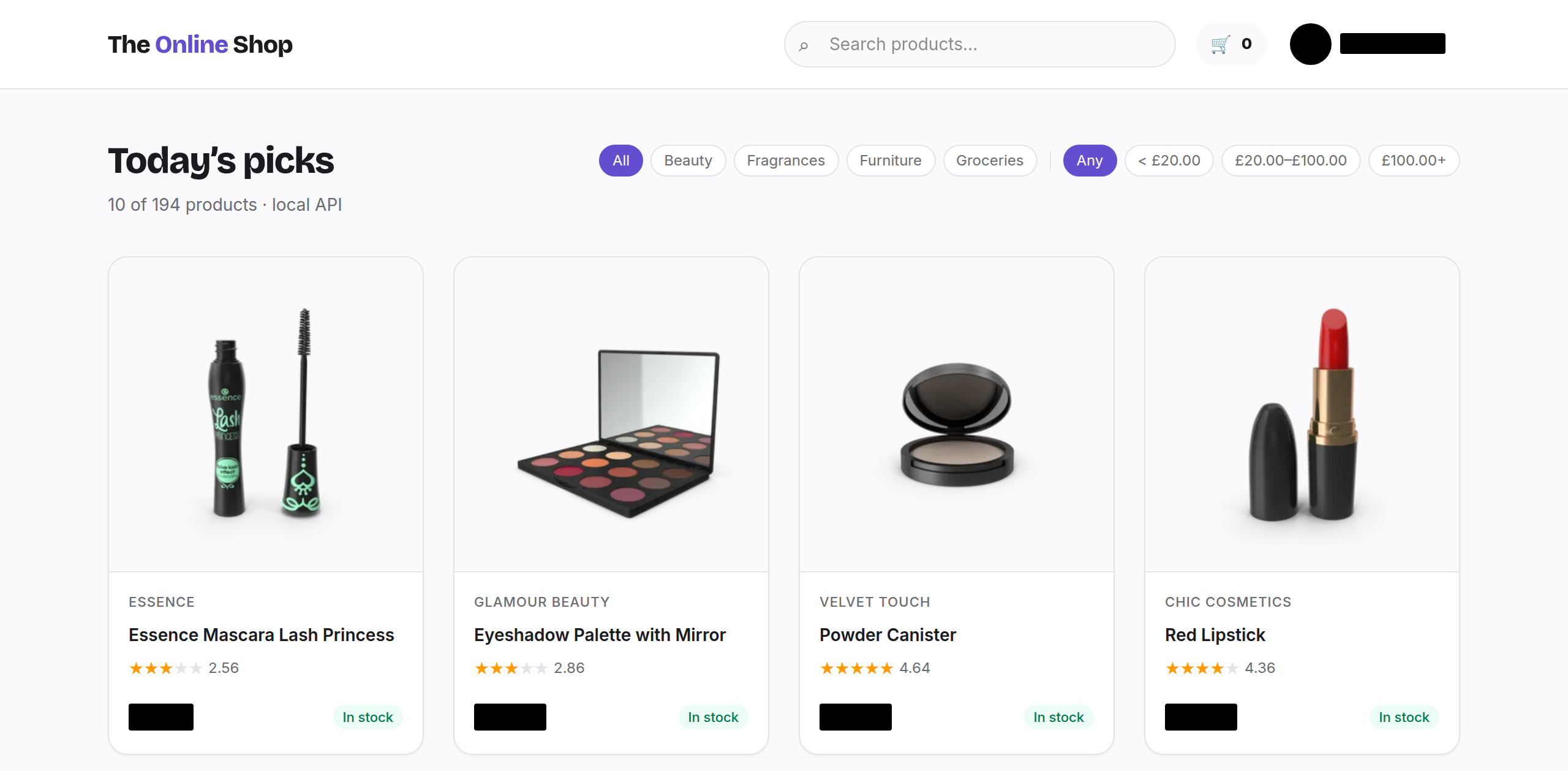
Example: hide who is signed in
Click the avatar in the shop's header, then drag across the name next to it. The preview shows the name about to go.

Drag across each price in the first row as well, and the page is ready for a screenshot of the layout that gives nothing away.
Good to know
- The bars are part of the page: they scroll and reflow with it, and the screenshot tool captures them as they are. Markdown saves the redacted text as blocks.
- Redacting only hides what is on screen. The text is still in the page, so do not rely on it to keep data from anyone who can open the browser's developer tools.
- Closing the toolbox or reloading the page removes every redaction.
- Redact is off while the responsive grids are open.
Need something else? Request a feature