Cookies and storage
note
This functionality is available on Tweak Basic and Tweak Max. Compare the plans here.
Cookies and storage is an editor for what the page keeps in the browser: its cookies, its local storage and its session storage, one click away on the bar.
Using it
- Open the toolbox and click the cylinder icon.
- Pick a tab: Cookies, Local or Session. Each tab says how many entries it holds.
- Edit a value in place. It is saved when you press Enter or leave the field.
- Add an entry with the empty name and value fields at the bottom and +. Remove one with ×.
- Click a name to copy it, or use Copy as to copy the whole tab.
Example: the shop's cookies
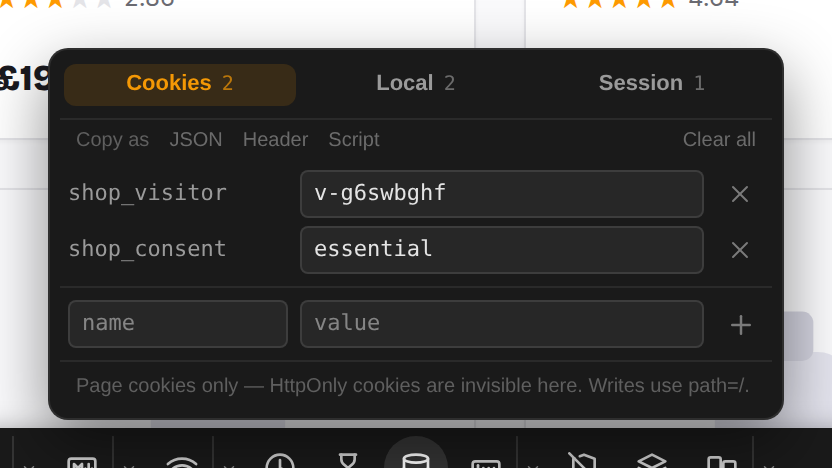
The shop sets a visitor id and a consent choice when it loads. Both are on the Cookies tab, ready to edit.
Example: add a flag to local storage
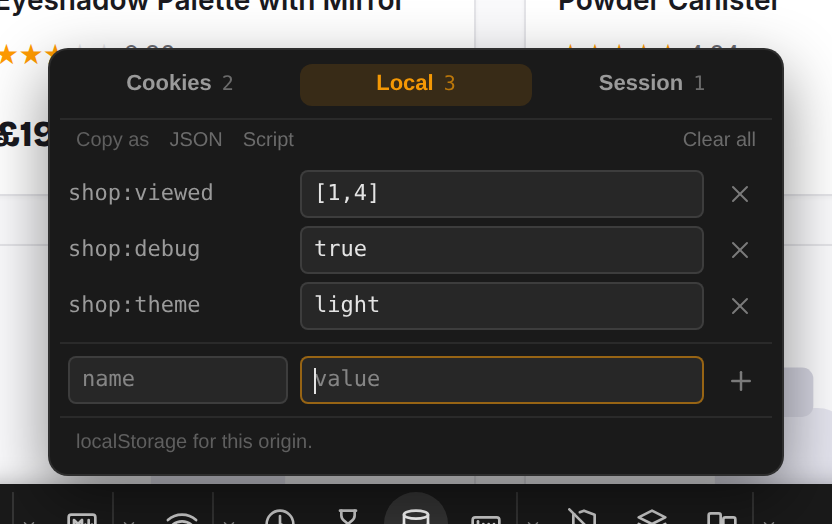
The Local tab shows what the shop remembered: the products you opened, in shop:viewed. Type shop:debug and
true in the empty row and press + to add an entry of your own, then reload the page to see what the app does
with it.
Good to know
- Copy as offers JSON, Script (a snippet that recreates the entries on another page or browser) and, on
the Cookies tab, Header (a ready
Cookie:header). - Past six entries a filter field appears. Copy as and Clear all act on the entries the filter shows.
- Clear all asks for a second click before it deletes anything.
- The editor sees what the page itself can see. HttpOnly cookies are invisible to it, and a cookie's domain and
expiry are not shown. New cookies are written for the whole site (
path=/). - Tweak's own entries are never listed.
Need something else? Request a feature