Where tweak opens
tweak can run in three places, and they are all the same tweak: the same rules, the same storage, the same behaviour. Only the surface it is painted on changes.
| Mode | What it is | Good for |
|---|---|---|
| Popup (default) | The panel that drops from the extension icon | Quick edits. It closes the moment you click the page |
| Floating window | A resizable browser window of its own | Keeping tweak beside the page you are working on |
| New tab | A resizable browser tab of its own | Working on a big screen, or parking tweak next to your other tabs |
Opening a floating window or a tab
The quickest way is the Open in floating window button in the popup's toolbar, immediately to the left of the more options menu (the icon at the top right). It is only in the popup: a floating window or a tweak tab is already the big view.
Both modes also live in the more options menu: Open in floating window and Open in new tab.
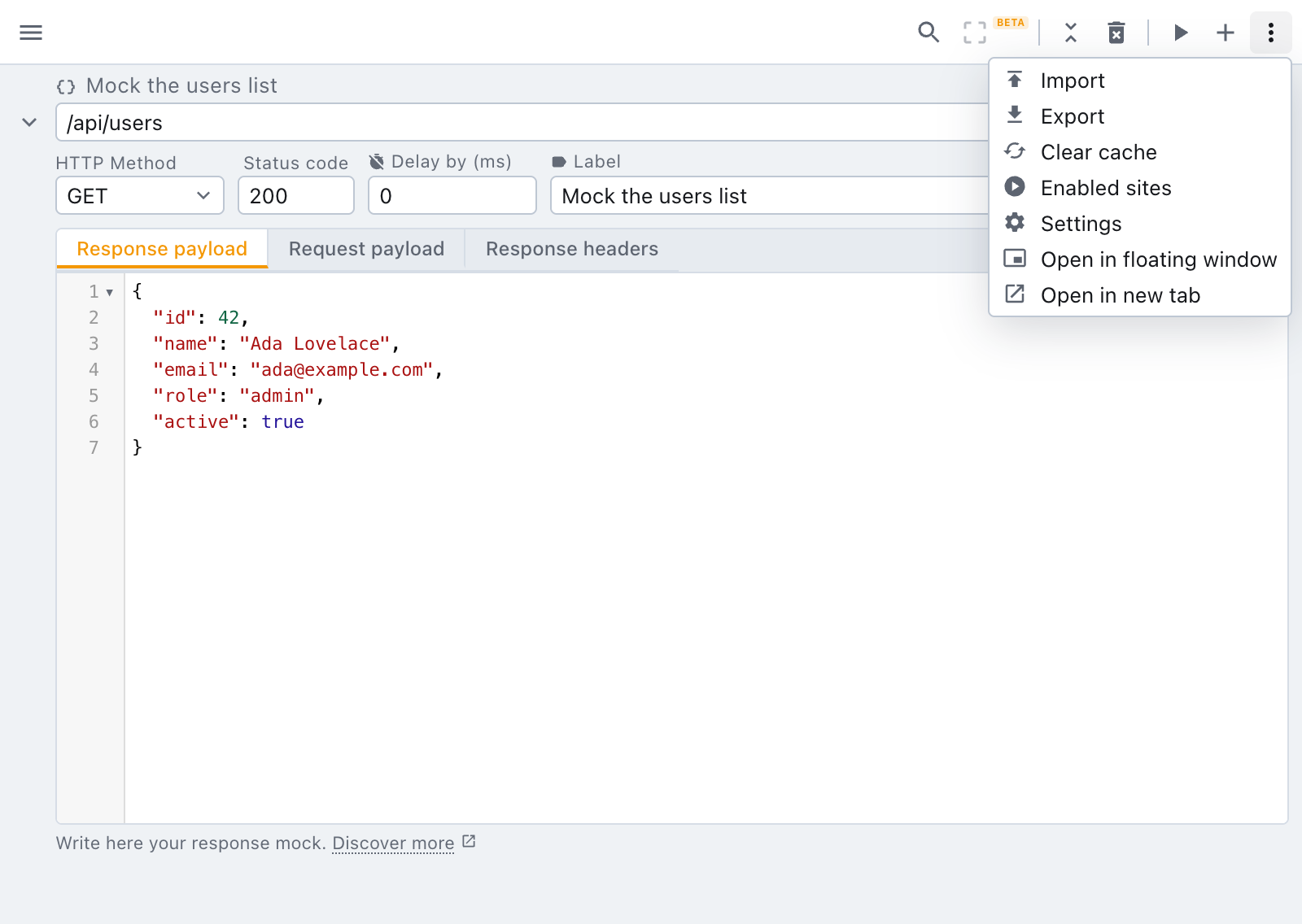
You can also give Open tweak in a floating window a keyboard shortcut. It comes with no key of its own, so pick one in the browser's shortcuts page. Once it has one, the toolbar button's tooltip shows it.
The floating window opens at 1040x760 pixels, roughly a third larger than the popup each way. It is never bigger than the browser window you opened it from, so on a small laptop screen it fits, and never smaller than the popup. Resize it as you like from there.
There is only ever one floating window and one tweak tab. Pressing the entry a second time brings the one you already have to the front instead of opening a rival copy that would fight it over the same rules. Each document offers the other one, so you can move between them without going back to the popup first.
When the popup closes on you
The popup closes the moment you click the page, which is easy to forget halfway through editing a rule. If you reopen the popup within 20 seconds of that, with a rule still open, a one-line banner under the toolbar points at the way out:
tweak closed when you clicked the page. A floating window stays open beside it.
- Keep it open opens the floating window, with the rule you were editing still open in it.
- × dismisses the banner.
Either answer ends it for good, and it never shows more than three times. It does not show in a floating window or a tweak tab, and it waits its turn behind any other message tweak has for you.
tweak is still attached to one tab
This is the part worth reading twice. A floating window and a tweak tab are documents of their own, so they cannot tell which page you are working on. They are therefore pinned to the tab they were opened from, and a badge at the top says which one:
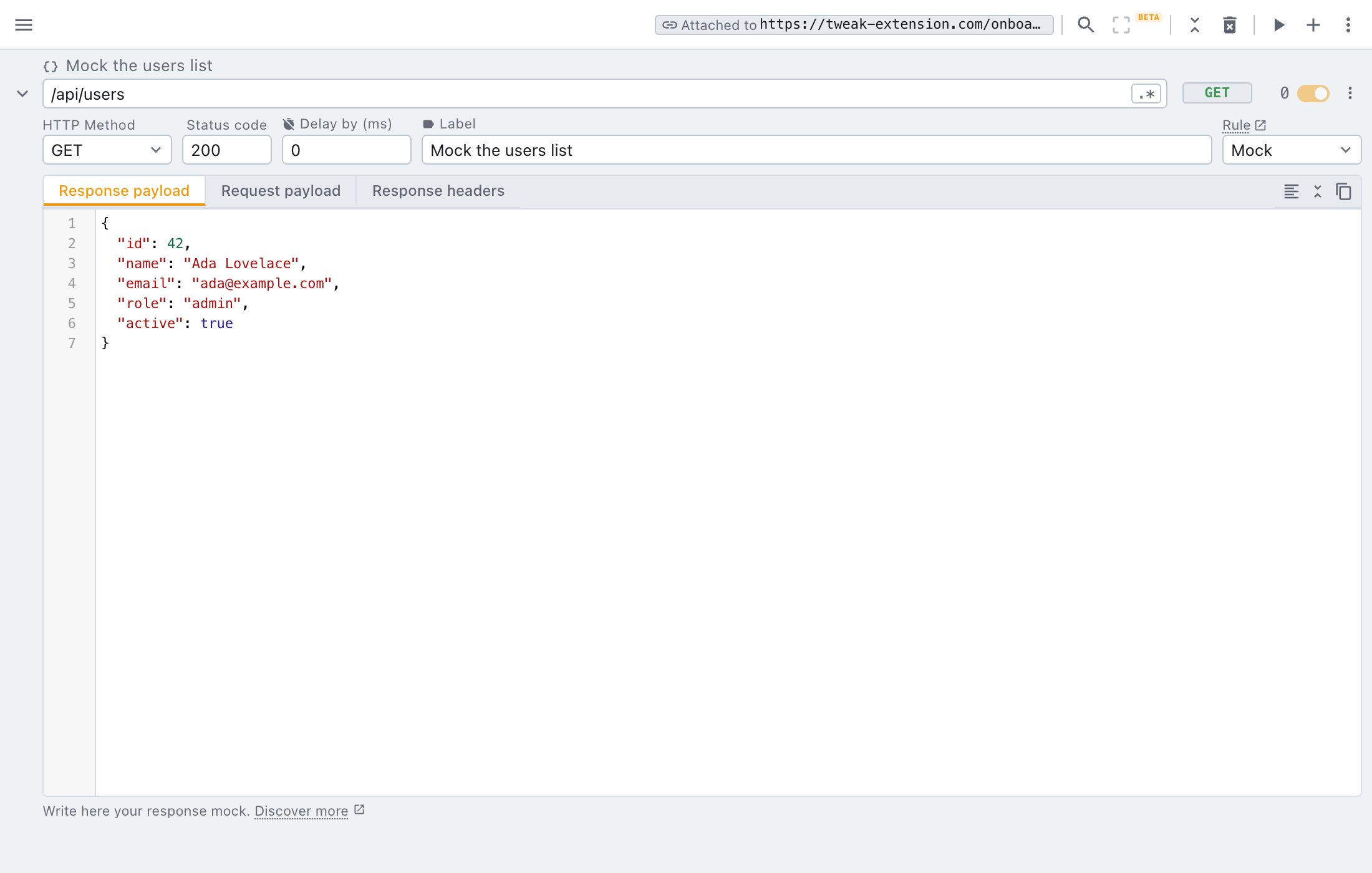
Running, pausing and every rule apply to that tab and to no other. Clicking into the floating window or the tweak tab does not pause tweak: it keeps running on the attached tab while you work. If the tab is closed, the badge says so and tweak has nothing left to act on.
Close the floating window or the tweak tab, go to the page you want, and open tweak again from there. The new document attaches to that tab. Re-pointing an open one to another tab is not possible today, and it is exactly the kind of thing we want to hear about, see feedback below.
What the extension icon opens
By default the icon opens the popup. You can hand it to one of the other two instead, in more options > Settings > Preferences > Extension icon opens.
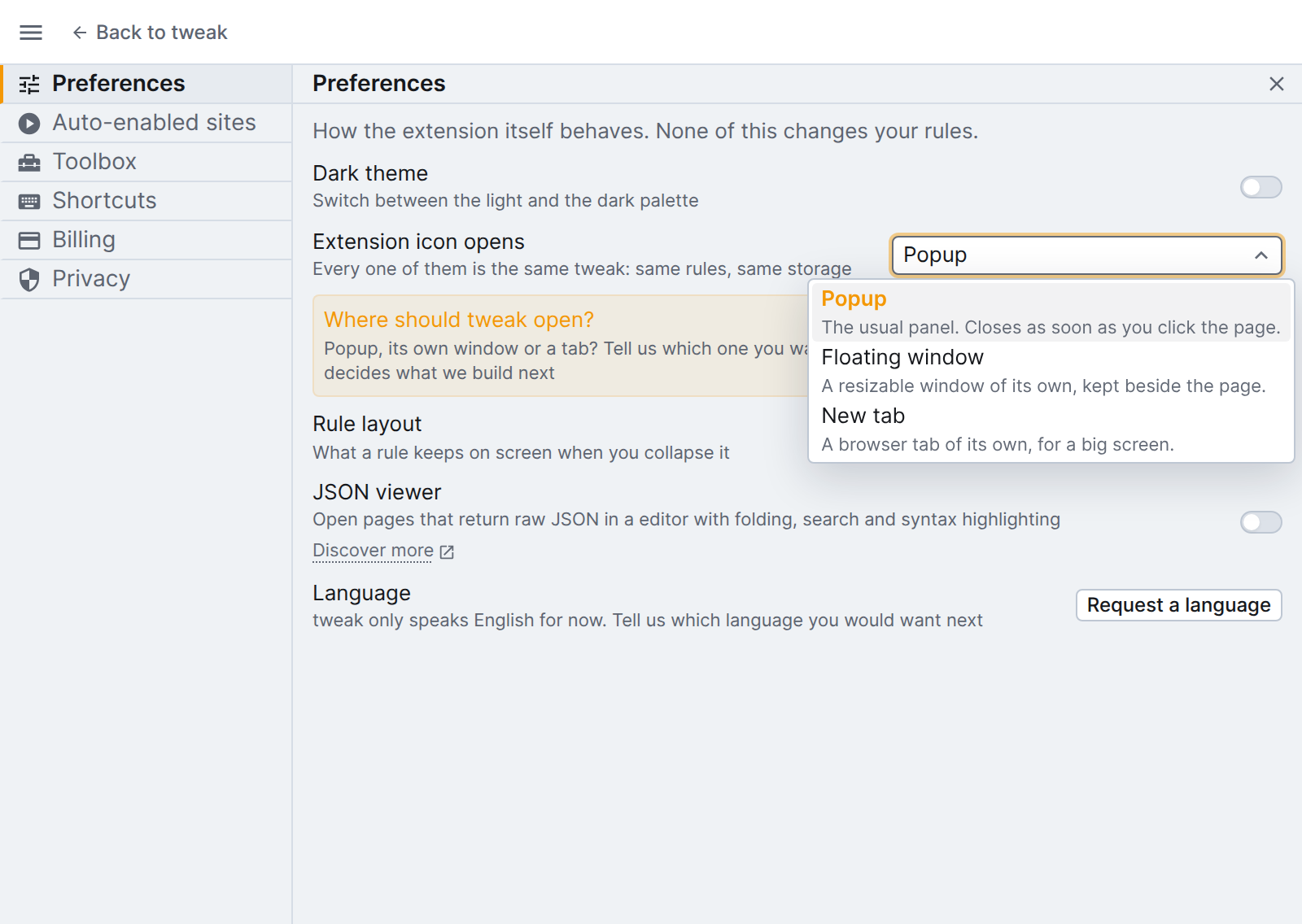
- Popup: the usual panel.
- Floating window: clicking the icon opens (or focuses) the floating window.
- New tab: clicking the icon opens (or focuses) the tweak tab.
Picking one opens that document right away, so you can see what you asked for. Both the icon and the keyboard shortcut that opens tweak follow the preference.
While a floating window or a tweak tab is open, the icon always brings that document to the front rather than opening a second copy on top of it, whatever the preference says. Close the document to get the popup back.
Tell us how you want this to work
Running tweak outside the popup is new, and the "one document, one attached tab" model is a starting point rather than a verdict. If it gets in your way, or if you expected the tab to follow whichever page you are looking at, tell us:
👉 Share your feedback on how you run tweak (30 seconds)
Need something else? Request a feature