Edit before send 🆕
This functionality is only available on paid plans. Check our plans here.
Edit before send pauses a request that matches a rule and lets you change it, right there on the page, before it goes out. Use it when the next request is the one you want to bend: another URL, another body, another header, just this once.
Switching it on
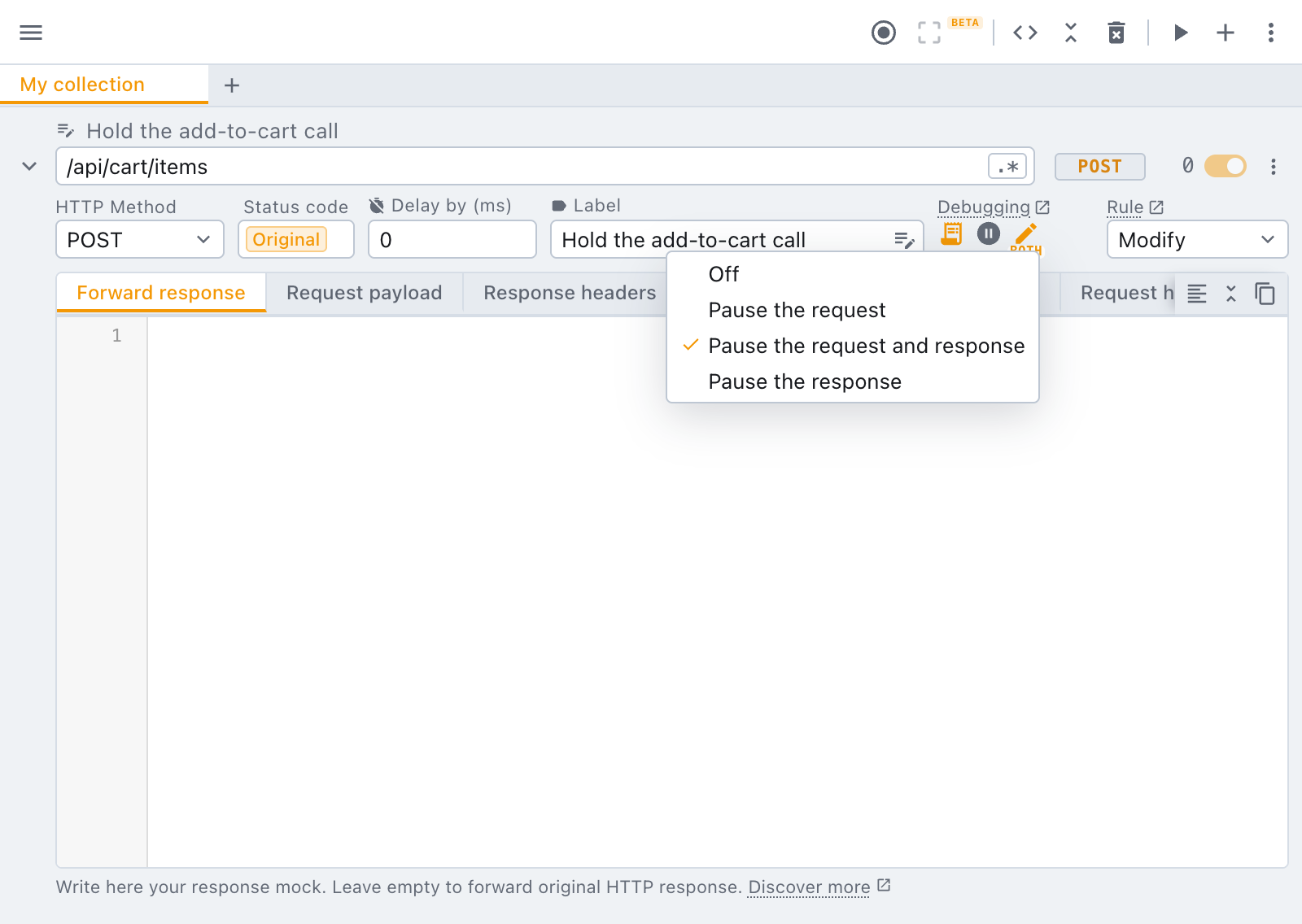
Mock and Modify rules carry an Edit before send control in their debugging group, next to the breakpoint. Pick where the rule should stop:
| Option | What pauses |
|---|---|
| Pause the request | the request, before it leaves the page |
| Pause the request and response | the request first, then the response before the page reads it |
| Pause the response | the response only, before the page reads it |
While it is on, a small req, both or res caption under the icon reminds you where the rule stops.
What happens on a match
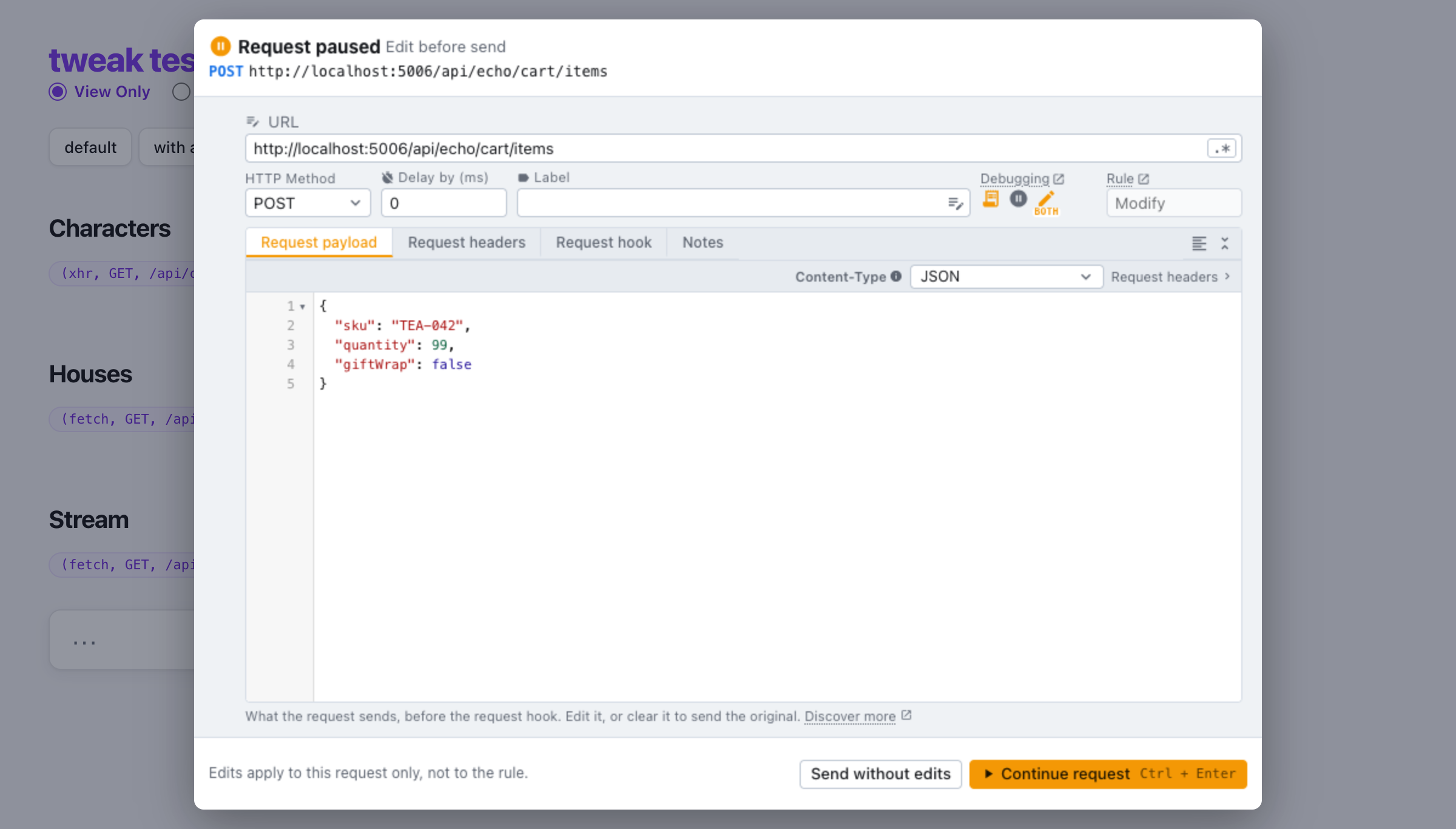
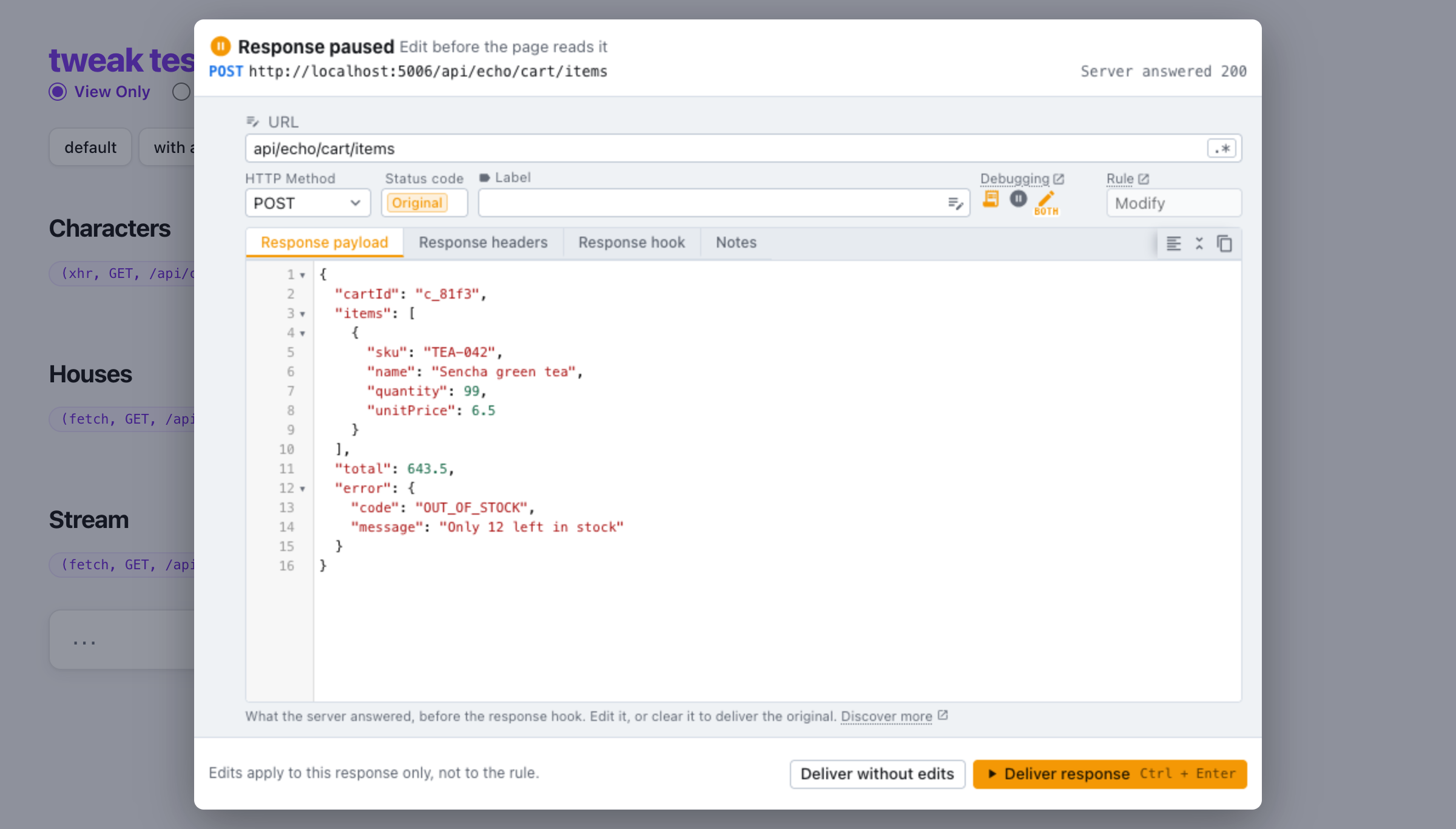
When the page sends a matching request, tweak holds it and opens an editor on the page itself, in the tab you are looking at. The editor is the rule as you know it from the popup, showing only the side that is paused: the request tabs while the request is held, the response tabs while the response is.
On a Modify rule you edit the live request, not the rule's settings: the URL and body about to go out, or the body the server just answered.
The request is held: here the body about to go out is edited to ask for 99 items.
With the response paused too, the server's answer waits for you before the page reads it: here, edited into an out-of-stock error to see how the page copes.
Then pick one:
- Continue request / Deliver response (Ctrl/⌘ + Enter): it goes on with your edits.
- Send without edits / Deliver without edits: it goes on with the rule as saved.
If several matching requests arrive at once, they wait in line and the editor tells you how many are queued.
Nothing you change in the editor is saved to the rule. Fixing one request in the moment should not change what the rule does for every request after it. To change the rule itself, edit it in the popup.
Edit before send or breakpoint?
They are two switches and you can use either. The breakpoint stops your app's code in the browser devtools so you can follow the request through it. Edit before send stops the request itself and hands it to you to change, with no devtools needed.
Need something else? Request a feature