Simple Modify Headers Alternative: Free Header Rules With tweak

Simple Modify Headers does what its name says: it adds, changes or removes HTTP headers on the requests your browser makes. If that is why you installed it, this post shows how tweak's headers only rule does the same job, for free, with a url per rule, real regex, one click templates, and a team that still ships updates.
Where Simple Modify Headers is today
Simple Modify Headers still works, but it has gone quiet. Its last commit was in November 2024, and the newest release on its GitHub page is v1.8.1, from 2022. There are 30 open issues, some from 2022, with no visible answers.
The move to Manifest V3, the new platform browsers now require for extensions, also cost it features on Chrome. Its own README says so:
- Individual cookie modification is no longer possible, so the cookie options were removed.
- The "add" and "modify" actions now behave the same.
- Custom request filtering is no longer possible.
And some limits were always there:
- One url pattern for the whole config. Every header rule shares the same url pattern, so "this header on site A, that header on site B" takes extra work.
- No regex. The pattern follows the browser's match pattern syntax, and you cannot set a port.
- Save to apply. Changes only apply once you click save.
Open issues ask for things like filtering by HTTP method, folders for rules, and variables in header values. tweak already has all three.
Simple Modify Headers vs tweak at a glance
| Simple Modify Headers | tweak | |
|---|---|---|
| Maintained | Last commit November 2024 | Yes, regular releases |
| Manifest V3 | Chrome only, Firefox on MV2 | Yes, on every browser |
| Browsers | Chrome, Edge, Firefox | Chrome, Edge, Firefox |
| Request and response headers | Yes | Yes, free |
| Set, Append, Remove | Add and modify are the same | Set, Append and Remove are different operations |
| Url per rule | No, one pattern for everything | Yes |
| Regex | No | Yes |
| Filter by HTTP method | No | Yes |
| Active tab only or always on | No | Active tab or Global |
| Ready-made templates (CORS, cache) | No | Yes, free |
| Bulk import headers from DevTools | No | Yes |
| Notes on each rule | A comment field | Markdown label and notes |
| Group rules in folders | No | Yes, collections (Tweak Basic) |
| Variables in header values | No | Yes (Tweak Max) |
| Mock API responses, redirects, more | No | Yes |
| Account needed | No | No |
| Price | Free | Header rules free, paid plans for advanced features |
How a header rule looks in tweak
Switch a rule to Headers only and you get a row per header, with a dropdown that picks the operation:
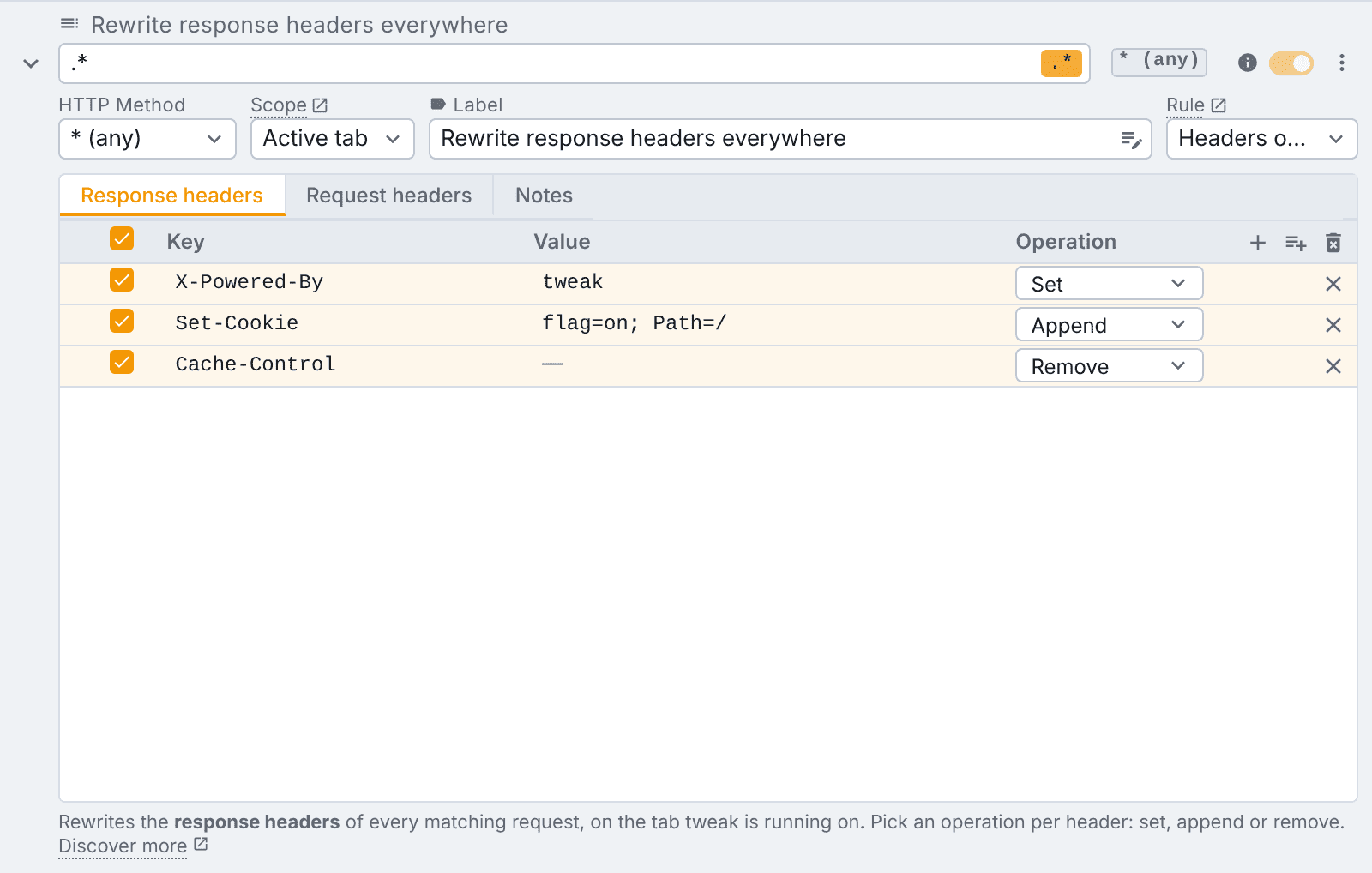
There are two tabs, one per direction. Response headers change what comes back before the page sees it. Request headers change what goes out before it leaves the browser.
Each rule has its own url expression and HTTP method. So one rule can set Authorization on your staging API, while another removes Content-Security-Policy on a different site, and neither gets in the other's way.
Set, Append and Remove
Each row picks what to do with the header:
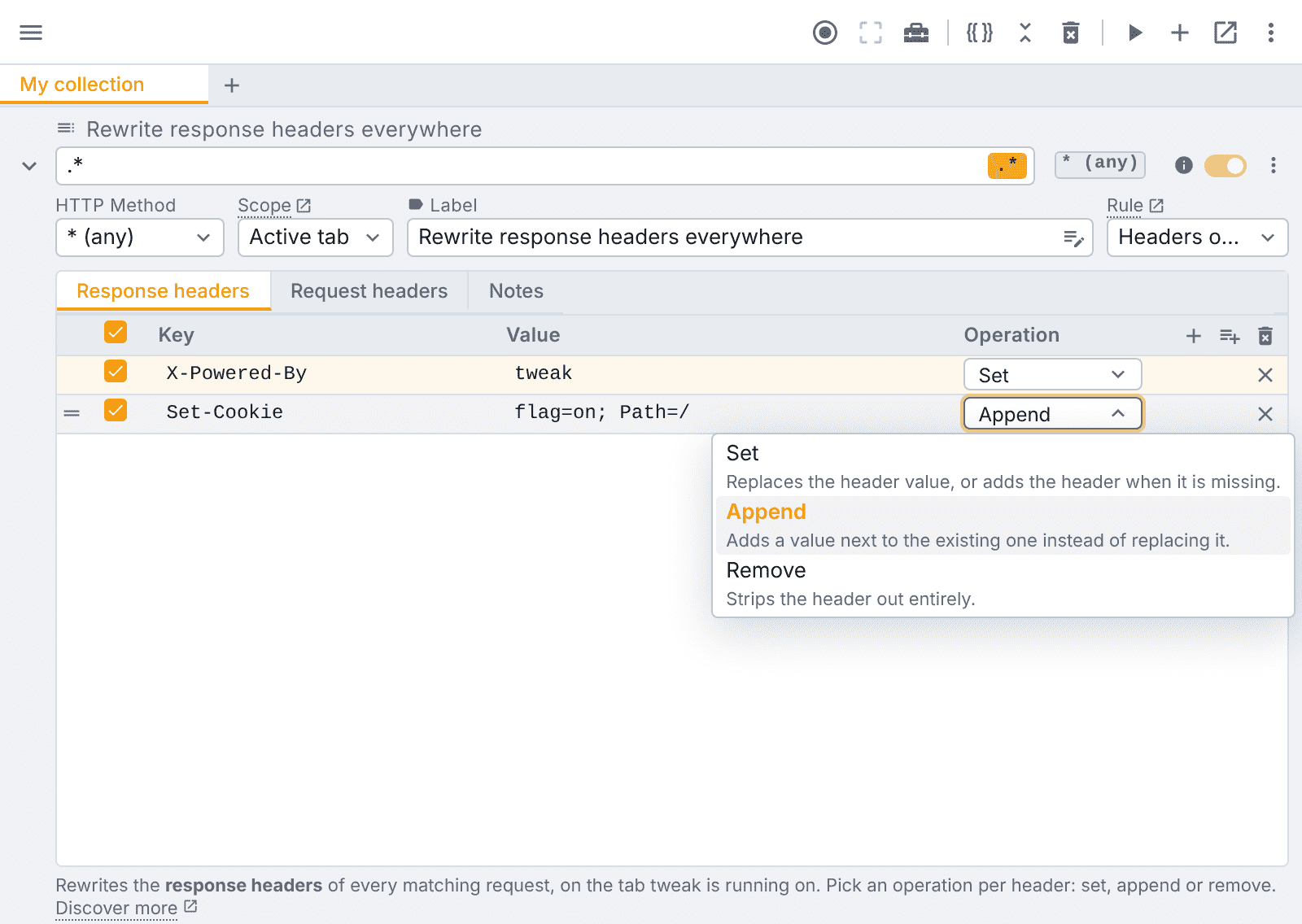
- Set replaces the value, or adds the header if it is missing.
- Append adds a value next to the existing one. Useful for a second
Set-Cookie. - Remove strips the header out.
In Simple Modify Headers on Chrome, "add" and "modify" do the same thing. In tweak, Set and Append are two different operations, and both work.
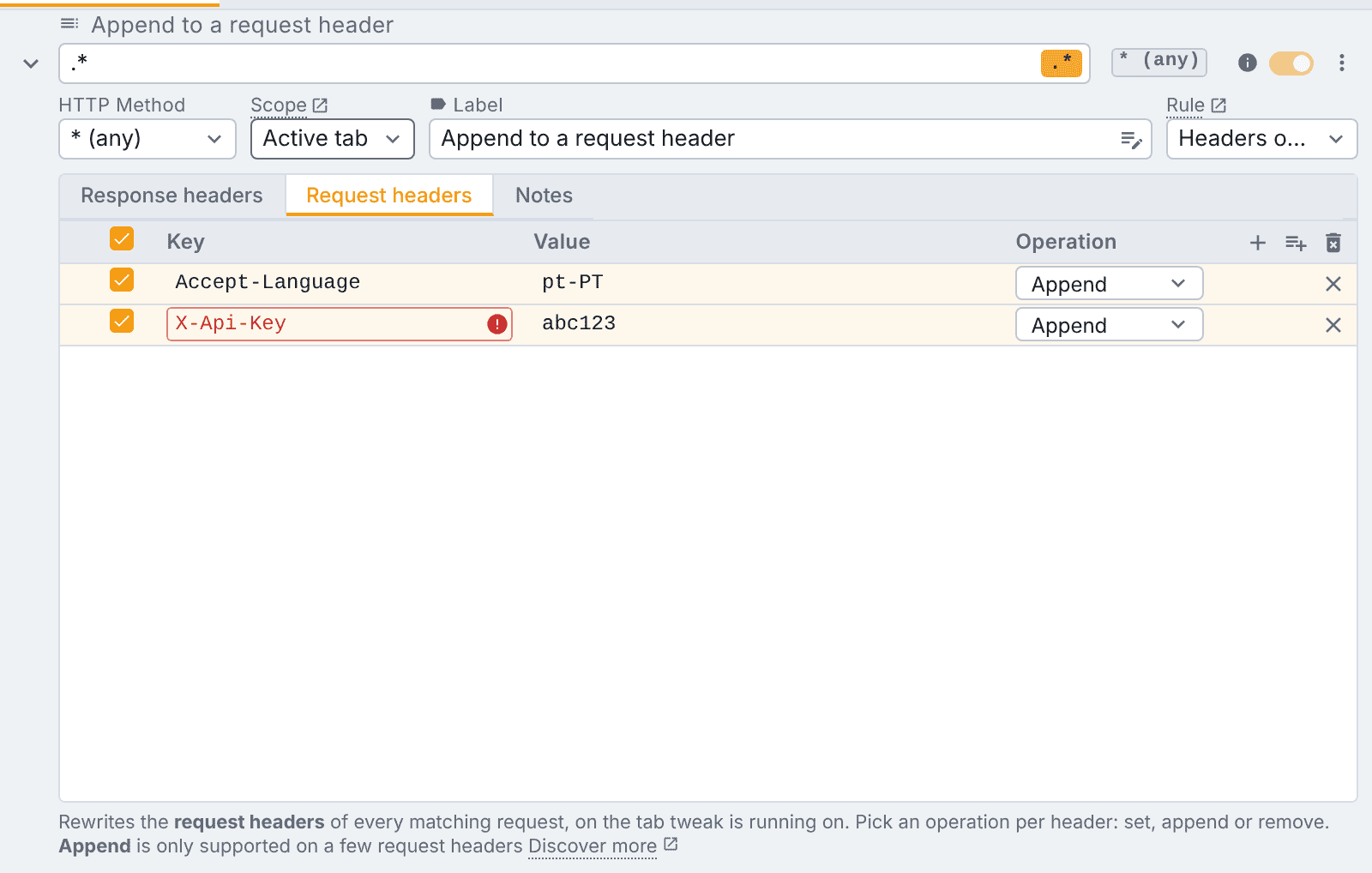
Browsers only allow Append on a fixed list of request headers. Pick it on any other one and tweak tells you right there, instead of silently doing nothing:
Real regex, with a clear error
Simple Modify Headers matches with the browser's match patterns. tweak gives you the same simple url matching, plus a regex toggle when you need more. If the browser cannot compile your expression, the rule tells you, instead of looking enabled while doing nothing.
Active tab or always on
Each rule has a Scope:
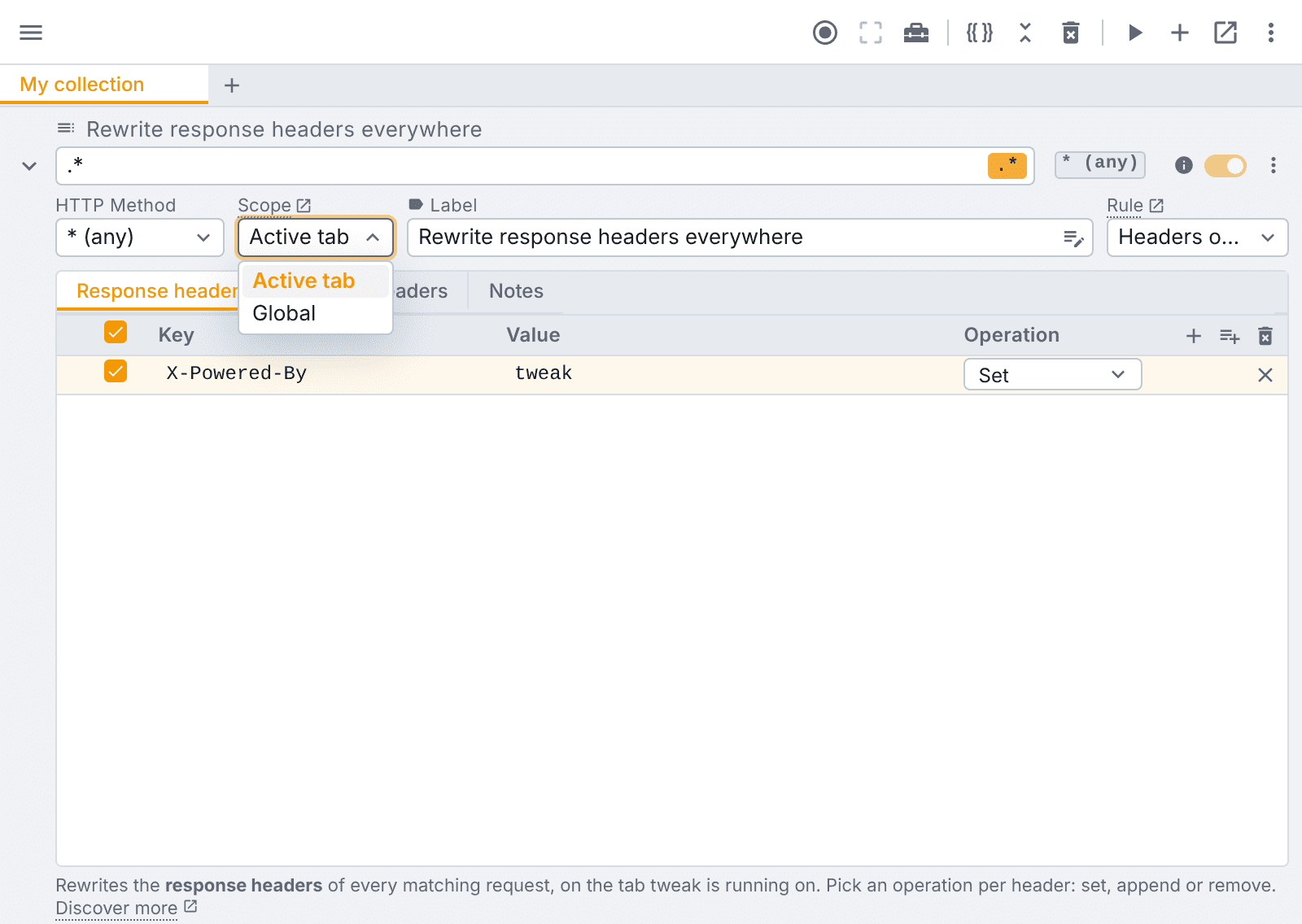
- Active tab applies the rule only while tweak is running, on that tab. You never forget a header override on and wonder a week later why a site behaves oddly.
- Global applies it on every tab, whether or not tweak is running, and survives a browser restart. Good for a header you simply want on all day.
No save button
There is no save step. Edit a row and it applies.
Templates for the headers everyone sets
Most people install a header extension for the same few jobs. tweak has them ready, one click away, all free:
| Template | What it does |
|---|---|
| CORS unblock | Sets the Access-Control-* response headers, so "blocked by CORS policy" goes away |
| Disable cache | Sets Cache-Control: no-store and friends, so a reload always hits the server |
| CSP audit | Sets a strict Content-Security-Policy-Report-Only, violations show in the console |
| CSP off | Removes the page's Content-Security-Policy headers |
Each one is a normal header rule once added, with notes that explain what it does. Edit it, narrow it to one site, or delete it. Read more in the templates docs.
Paste headers in bulk
Copied a block of headers from DevTools, or have them as a JSON object? Paste them into a header rule and tweak turns them into rows, so you do not have to type them one by one:
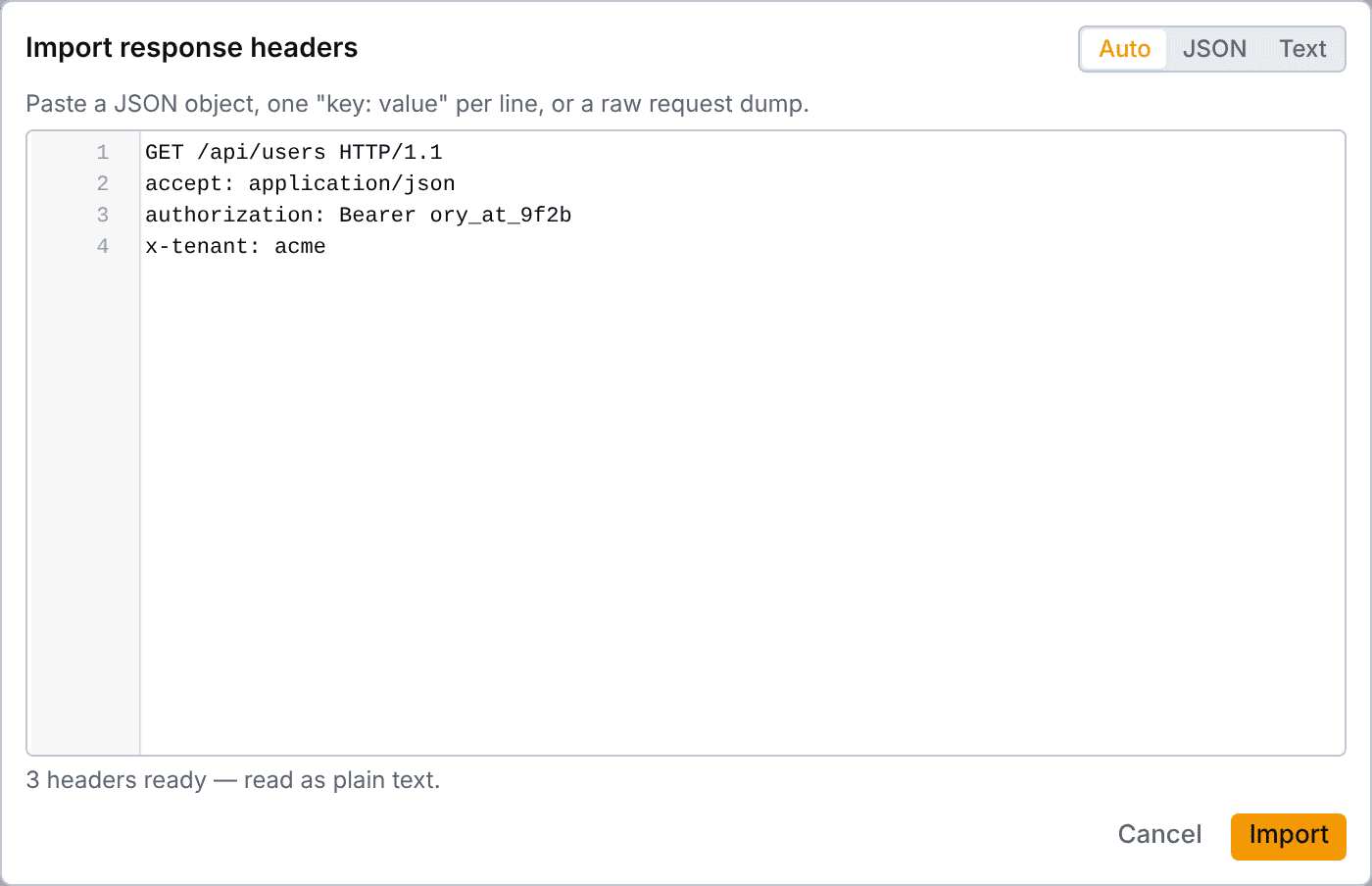
Reaches every request
A headers only rule is applied by the browser itself. It reaches every request the page makes, not only fetch and XHR calls: page navigations, scripts, images, stylesheets and fonts. It can also set headers a page's own JavaScript is not allowed to touch, like Referer, Origin and User-Agent.
More than headers
Headers are often the first step. When you need more, the same extension has it:
- Mock rules: return your own response, status code and body, with no server.
- Modify rules: call the real server, then patch the response before the page reads it (Tweak Basic).
- Redirect rules: send a request somewhere else, like your local server.
- Block rules: cancel a request to see how the page handles a failure.
- Collections: group rules in folders and switch between them (Tweak Basic).
- Variables: put
{{token}}in a header value and change it in one place (Tweak Max).
Moving over
- Install tweak on Chrome, Edge or Firefox.
- Create a rule and switch it to Headers only.
- Use your Simple Modify Headers url pattern as the rule's url expression.
- Add a row per header: Set for "add" and "modify", Remove for "delete". Paste them in bulk if you have many.
- Pick Active tab while you test, and Global for headers you want always on.
- Turn Simple Modify Headers off, so two extensions are not changing the same headers.
No account and no sign-up. Header rules are free on every plan: request and response headers, every operation, both scopes.
The bottom line
Simple Modify Headers is a fine, simple tool, and it served a lot of developers well. But it has gone quiet, Manifest V3 took features away on Chrome, and it still shares one url pattern across every rule.
tweak covers the same job for free, on Manifest V3, on Chrome, Edge and Firefox. You get a url and method per rule, regex, Set, Append and Remove as real operations, a clear scope, templates and bulk import. And when headers are not enough, mocks, redirects and the rest are right next to them.
Read the header rule docs or try tweak free.
If you liked this article, consider sharing (tweeting) it to your followers.
Need something else? Request a feature