Goodbye ModHeader, hello tweak!

On July 10, 2026, Google and Microsoft pulled ModHeader from the Chrome Web Store and Edge Add-ons. Roughly 1.6 million installs, gone in a few days, after dormant data-collection code was found buried in the extension. If you were one of those users, or you're just re-evaluating what you trust with request and header access, here's what happened and what tweak does differently.
What happened
ModHeader had a large install base built over years as a go-to tool for editing request and response headers. The code that got it pulled wasn't collecting data on day one, it was dormant, waiting. That's the part worth sitting with: an extension with broad host permissions can ship inert code today and activate it later, and most users would have no way to know until someone found it.
Header and network permissions are some of the most sensitive an extension can request. They see every request your browser makes: cookies, auth tokens, internal URLs, all of it. That access has to be earned with a track record, not just a good changelog.
Where tweak stands on header modification
tweak has a dedicated headers only rule type built specifically for this job:
- Set, append, or remove any request or response header, including ones a page's own JavaScript is forbidden from touching, like
Referer,Origin, andUser-Agent. - Reaches every request, not just
fetch/XHRcalls: page navigations, scripts, images, stylesheets, and fonts are all in scope. - Two scopes: run it only on the active tab while tweak is on, or set it to Global so it persists across tabs and browser restarts, for the cases where you want an override simply always on.
- Matching uses the browser's own RE2 engine, so you get real regex matching without a hand-rolled parser trying to guess intent.
None of this runs through a proxy or a remote service. It's applied by the browser itself, tweak included, working entirely on your device.
How it actually looks
Switch a rule to Headers only and you get a row per header, with a dropdown that picks the operation:
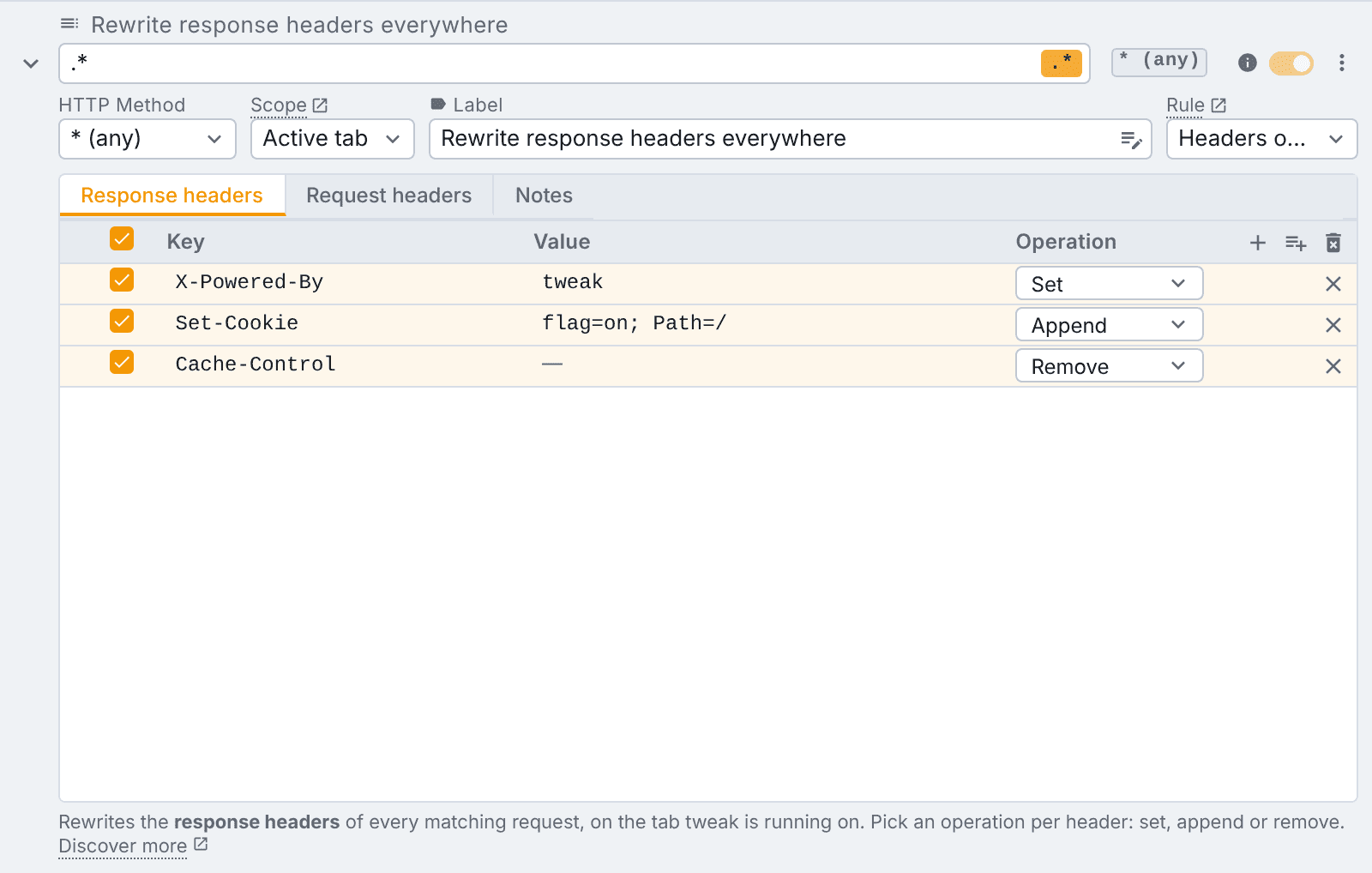
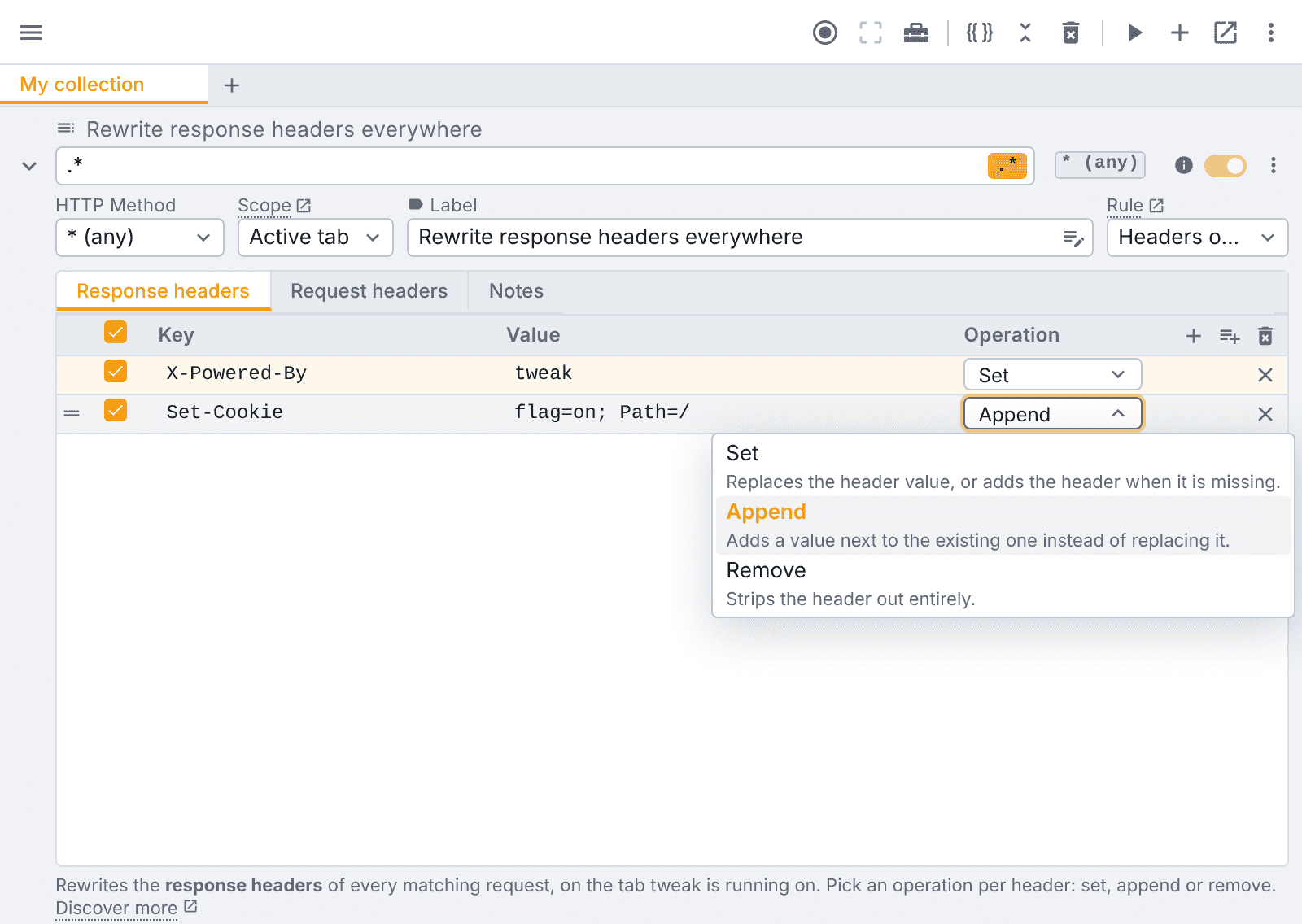
Each row can Set (replace the value, or add the header if it's missing), Append (add a value alongside the existing one, useful for a second Set-Cookie), or Remove (strip it out entirely):
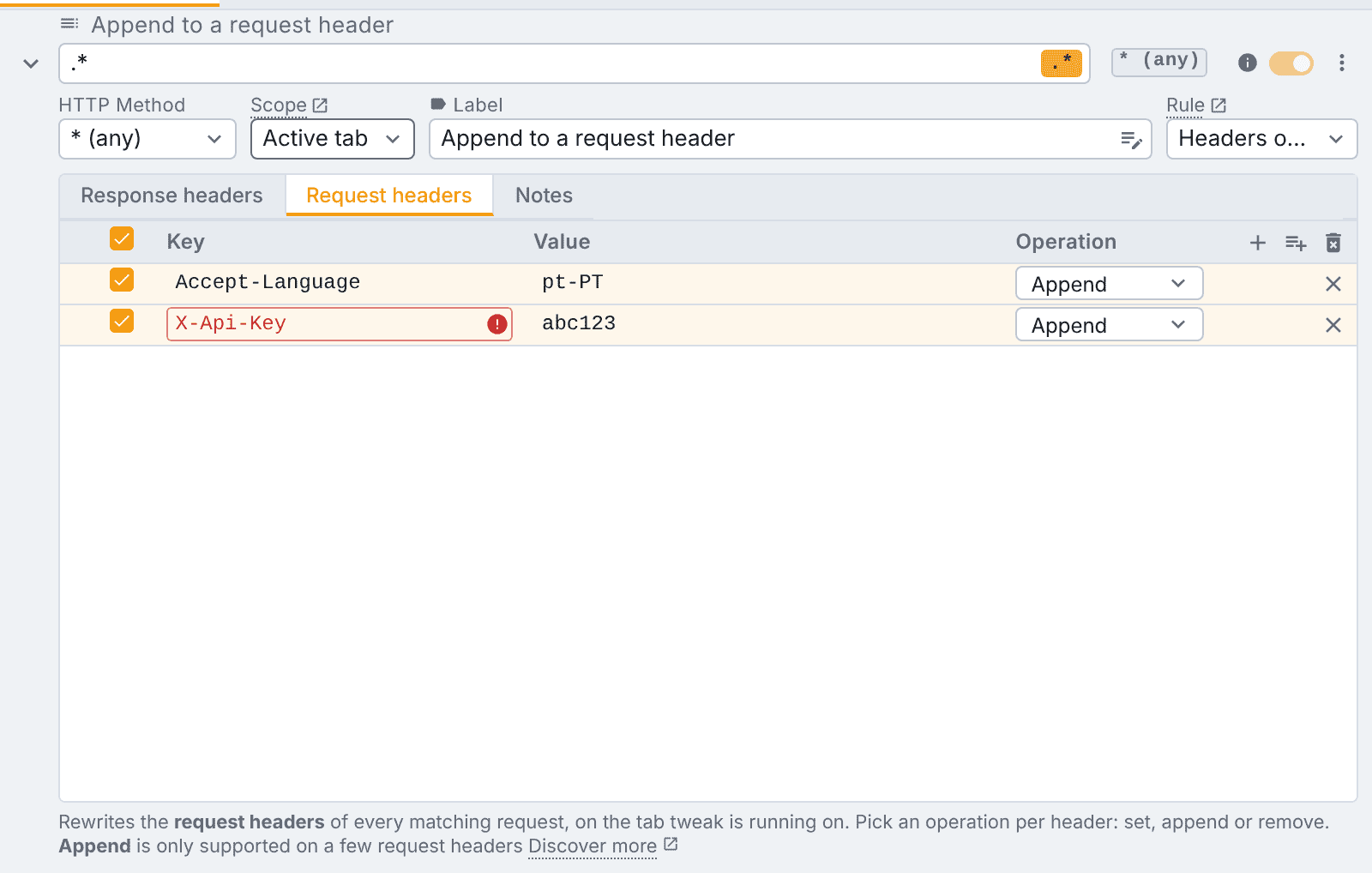
Browsers only allow Append on a fixed allowlist of request headers (things like Accept, Cookie, User-Agent). Pick it on anything outside that list and the row tells you right there, instead of silently failing:
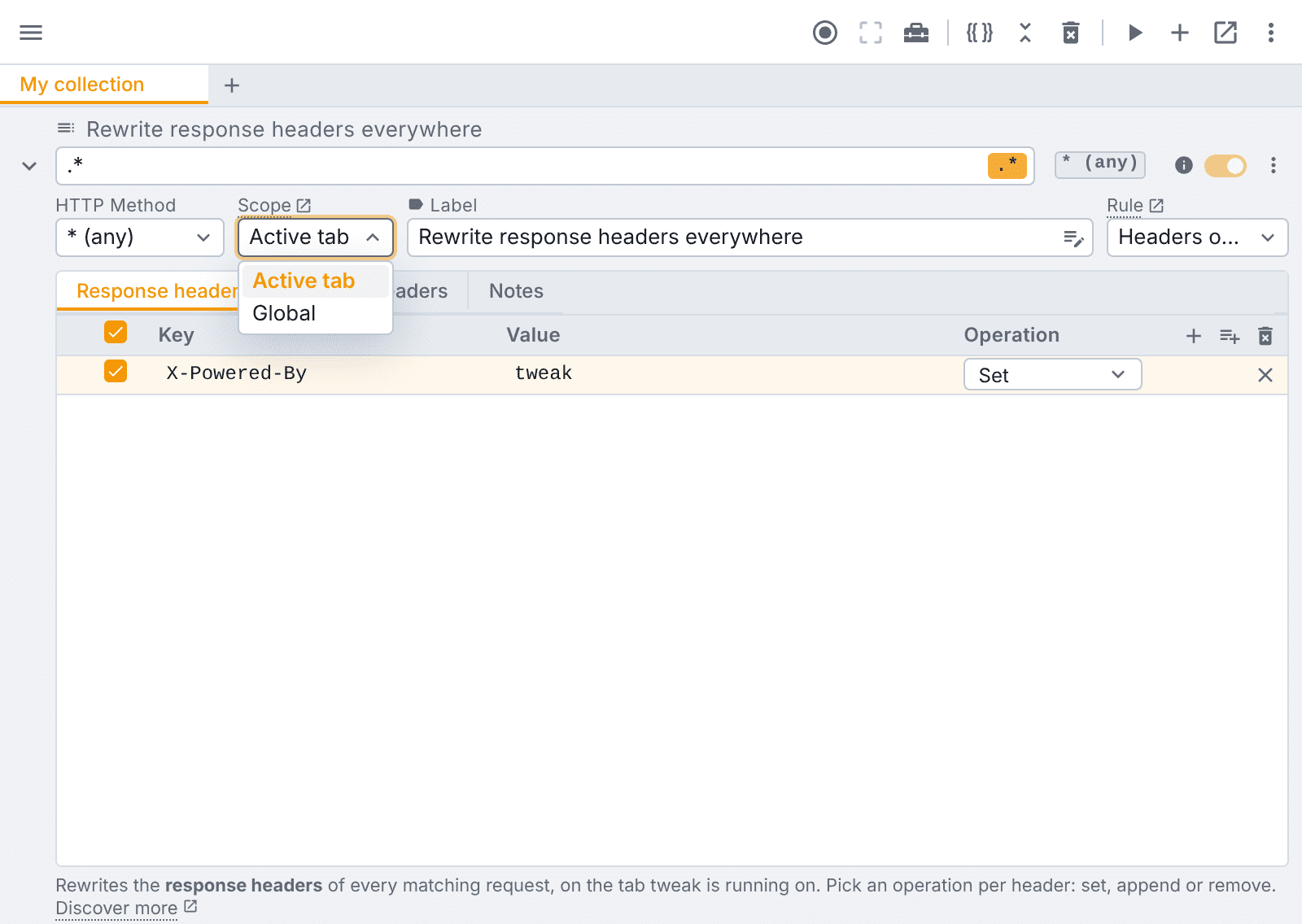
Below the header table, a Scope dropdown decides how far the rule reaches: Active tab applies it only while tweak is running, on the tab it's running on. Global applies it on every tab, whether or not tweak is running, and survives a browser restart, for the override you want simply always on:
That's the whole workflow: pick a header, pick an operation, pick a scope. No proxy setup, no certificate, no desktop app to install alongside it.
tweak is a free alternative to ModHeader for modifying both request and response headers. Every operation (Set, Append, Remove), on request and response headers, in both scopes, is on the free plan, with no account and no sign-up. The one paid part is templating, putting {{variables}} or generated values inside a header cell:
| Capability | Free | Paid |
|---|---|---|
| Request headers, Set / Append / Remove | ✅ | ✅ |
| Response headers, Set / Append / Remove | ✅ | ✅ |
| Both scopes | ✅ | ✅ |
Templating ({{variables}}, generators) | ❌ | ✅ |
Profiles → Collections
ModHeader's "Profiles" let you group header sets and switch between them. tweak's equivalent is Collections: folders that group your rules, not just headers only rules, so a collection can mix header rewrites with mocks and redirects if that's what a given workflow needs.
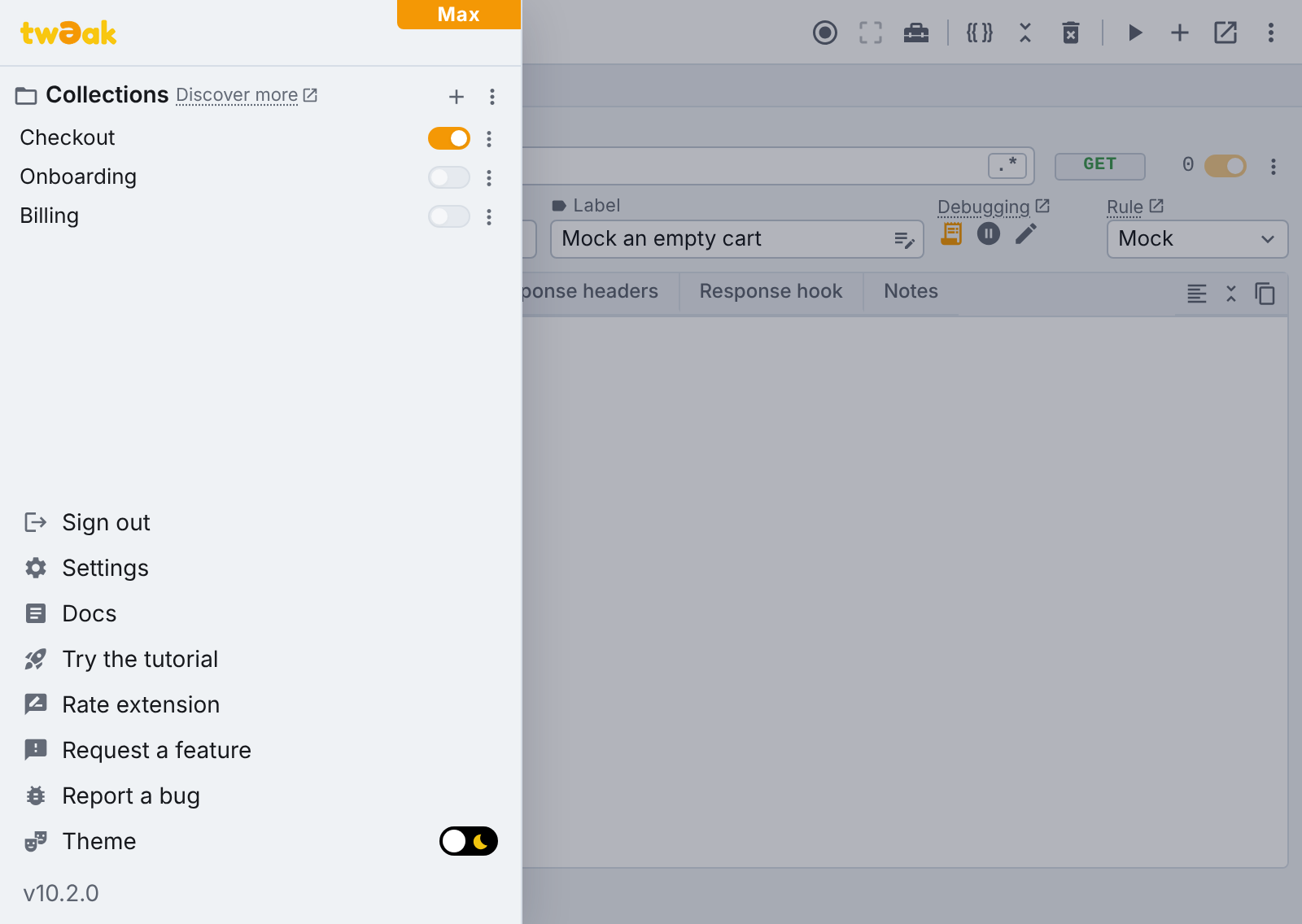
- Add a collection from the plus button in the side panel, drag to reorder, double-click to rename.
- Open collections show up as tabs in the main workspace, so you can flip between them the way you'd flip between profiles:
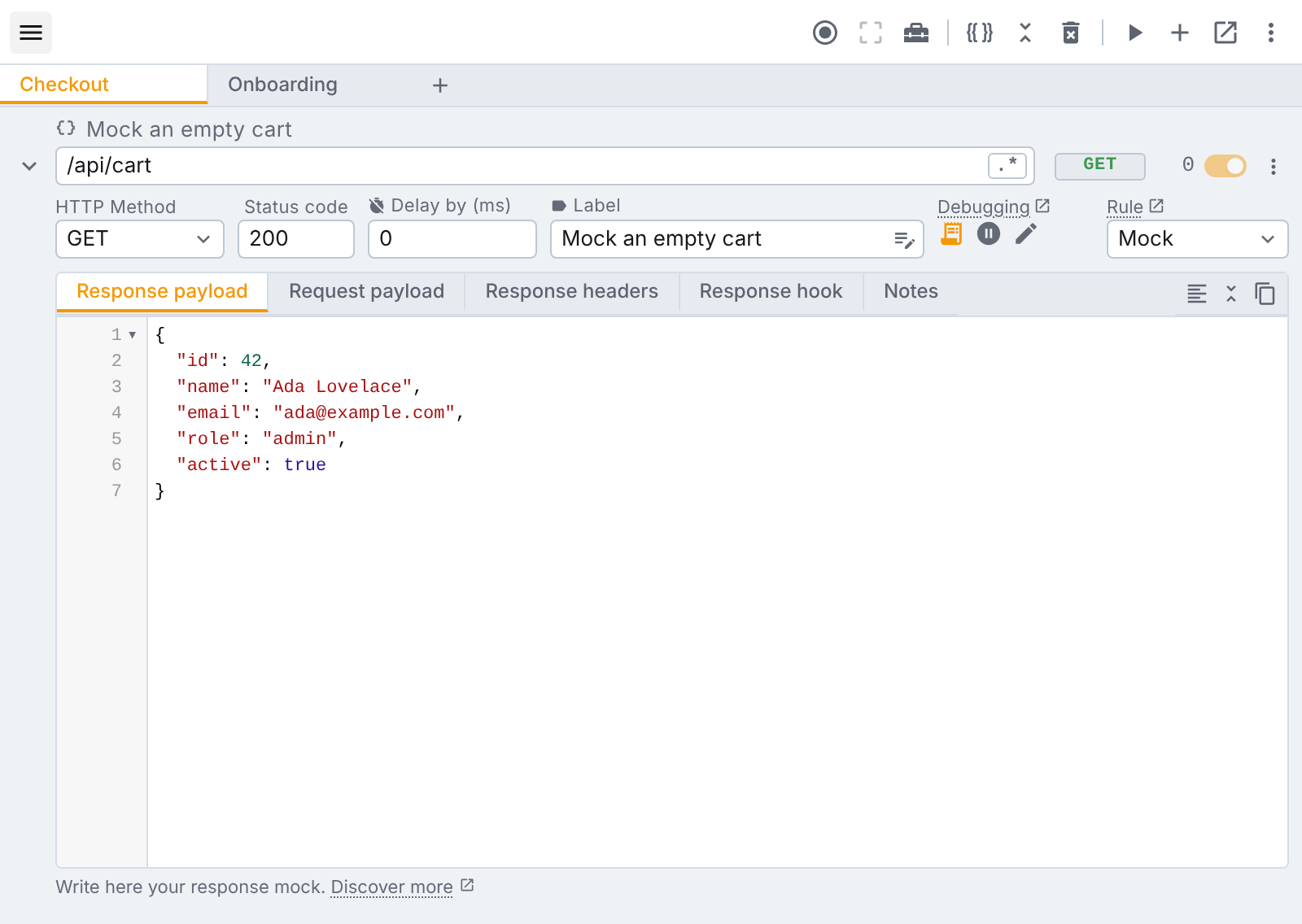
- A closed collection keeps working. While tweak runs, a green dot on its name in the side panel means it has active rules, even while the tab itself isn't open, no need to keep every profile "selected" to have it apply.
- Move rules between collections from a rule's own menu, and import/export either a single collection or everything at once.
We want to be upfront about this: Collections are a paid-plan feature. The free plan runs your 12 rules unorganized; grouping them into folders is part of Premium.
Our security posture is in the open
- Manifest V3, and every permission maps to a capability the product visibly uses. No unused reach "for later."
- No server-side visibility into your rules, mocks, or traffic. They live in the browser's own storage APIs, on your device. Our servers only handle account sign-in, checkout, and license validation, they're not in the request path at all.
- Source is reviewed before every release. We don't ship code we haven't read, and dependencies are audited as part of that process.
- Vulnerability reports are welcome, not deflected: [email protected], with good-faith fixes and disclosure.
Full detail is on our security page.
Moving over
If you're migrating header rules off ModHeader, tweak's headers only rule type covers set, append, and remove operations on both request and response headers, all of it free, with no account and no sign-up.
Try tweak free on Chrome or Edge. 12 rules on the free plan, no account required.
Need something else? Request a feature